
Never Rely Solely on Digital Navigation
In 2026, multiple trekkers on the Manaslu Circuit and Annapurna region reported getting lost after their phones died or GPS signals failed at high altitude. Digital maps are essential tools, but they should supplement—never replace—proper route knowledge, paper map backups, and local guide expertise. This guide helps you build a layered navigation system that works when technology fails.
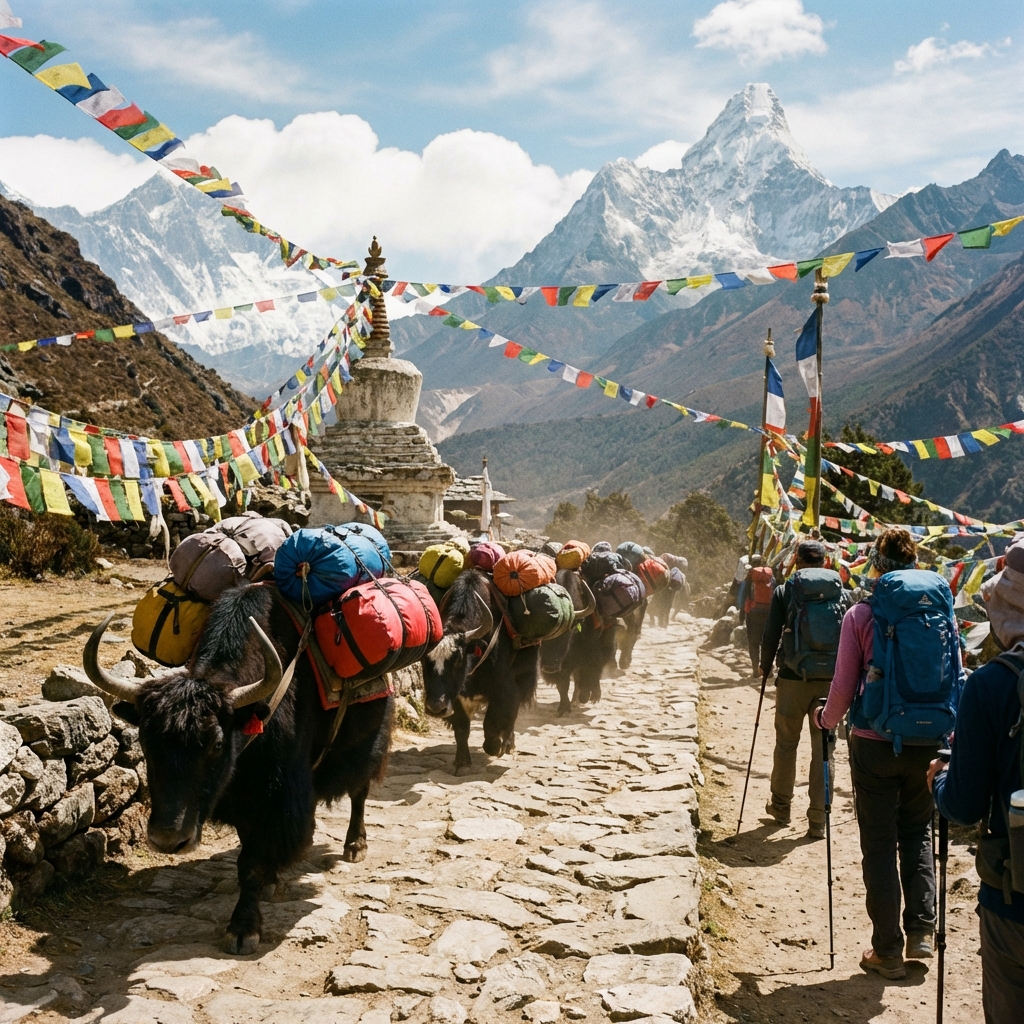
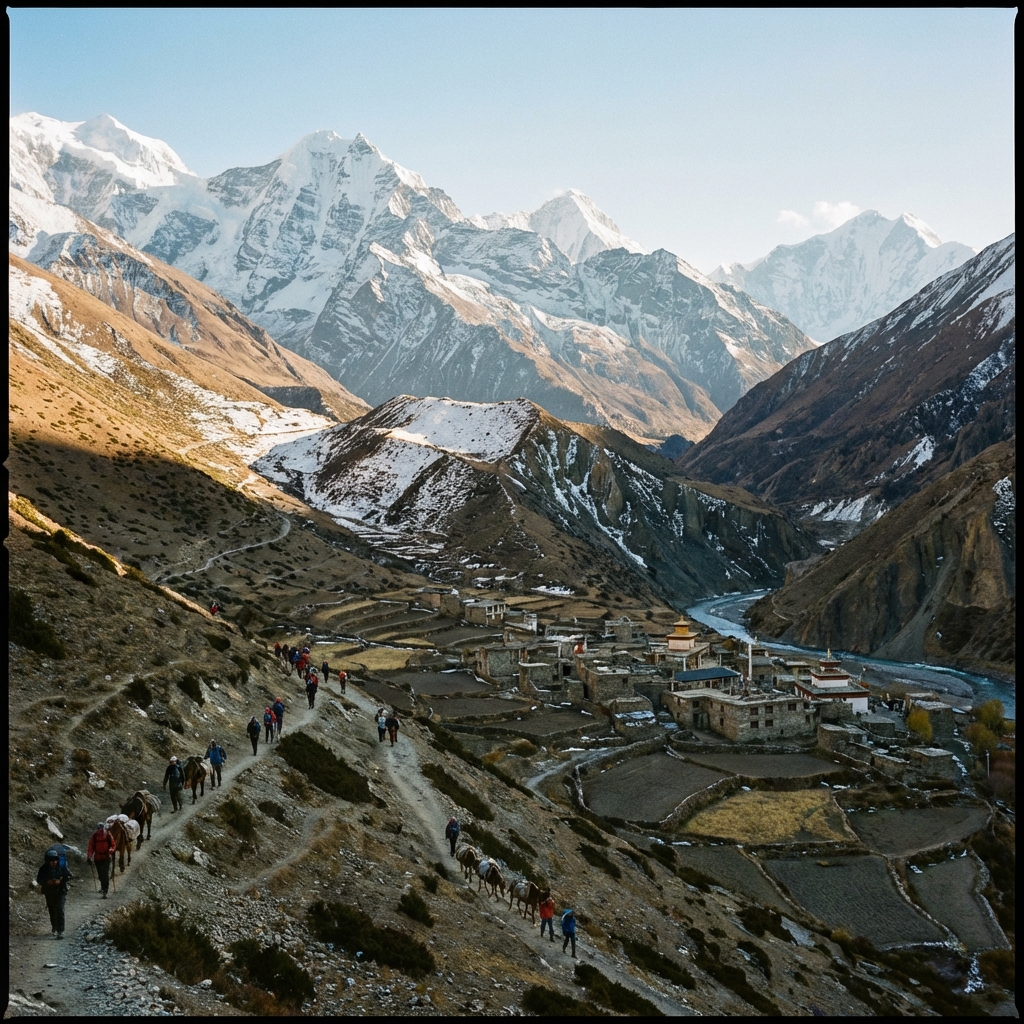
Nepal's trekking trails wind through some of the most dramatic and disorienting terrain on Earth. Dense rhododendron forests, glacial moraines, and high passes above 5,000m create navigation challenges that flat-terrain hikers never encounter. A wrong turn above Thorong La or a missed junction in the Langtang Valley fog can mean hours of wasted effort or, in extreme cases, genuine danger.
The good news: offline mapping technology has advanced dramatically. In 2026, you can download detailed topographic maps of every major Nepal trekking route, track your position via GPS without cellular service, record elevation profiles, and even share your location with emergency contacts via satellite. The challenge isn't finding an app—it's choosing the right one and preparing it properly before you leave home.
This comprehensive guide reviews the five best offline mapping solutions for Nepal trekking, provides step-by-step download instructions, explains GPS limitations at altitude, and builds a complete navigation strategy that works from Lukla to Everest Base Camp, from Nayapul to Annapurna Base Camp, and every trail in between.
Table of Contents
- Quick Navigation App Comparison
- Maps.me: The Free All-Rounder
- Gaia GPS: The Serious Trekker's Choice
- AllTrails: Community-Powered Routes
- Avenza Maps: Professional Topographic Maps
- Organic Maps: The Privacy-First Option
- How to Download Offline Maps Before Your Trek
- GPS Accuracy at High Altitude
- Battery Saving Strategies
- Paper Maps as Essential Backup
- Trail Marking Reliability by Region
- Phone Protection for Cold Weather
- When You Need a Guide vs GPS
- Map Reading Basics for Trekkers
- Complete Navigation Strategy
- Frequently Asked Questions
Quick Navigation App Comparison
Maps.me or Organic Maps
Gaia GPS ($39.99/year)
AllTrails ($35.99/year)
Avenza Maps (free + paid map layers)
Organic Maps (fully open source)
3-10m with clear sky, 15-50m in valleys
Drains 2-3x faster in cold
2-5 GB for Nepal trekking region
NPR 500-1,500 ($3.50-$11)
Insulated case + body-heat pocket storage
Head-to-Head Comparison Table
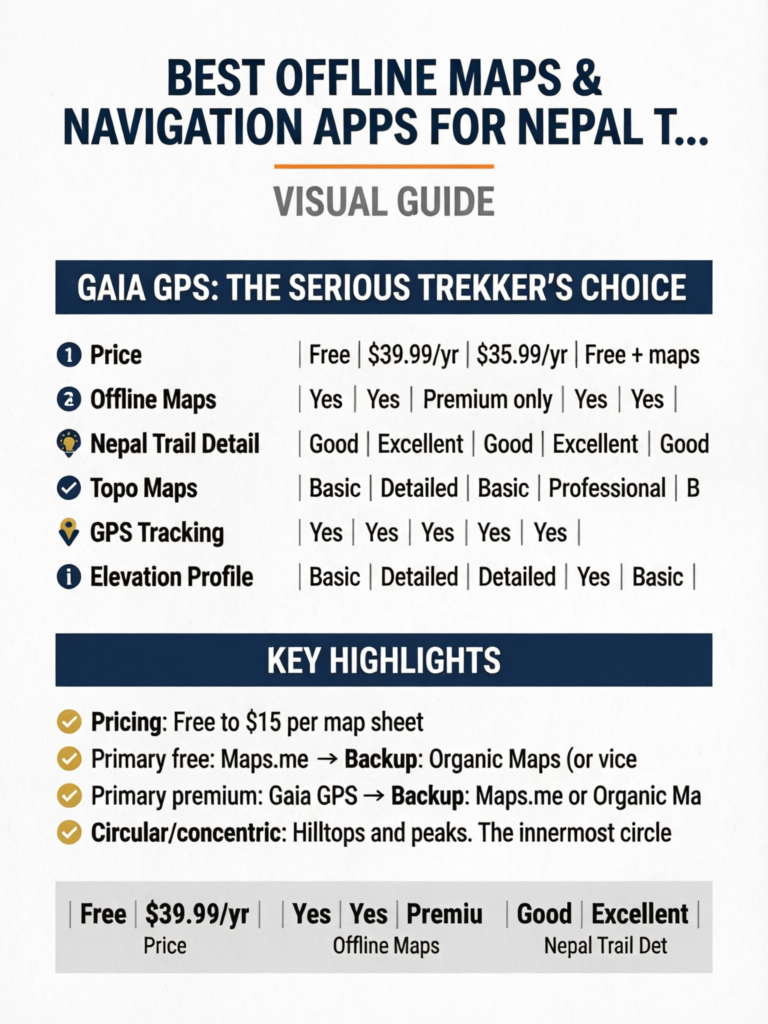
| Feature | Maps.me | Gaia GPS | AllTrails | Avenza Maps | Organic Maps |
|---|---|---|---|---|---|
| Price | Free | $39.99/yr | $35.99/yr | Free + maps | Free |
| Offline Maps | Yes | Yes | Premium only | Yes | Yes |
| Nepal Trail Detail | Good | Excellent | Good | Excellent | Good |
| Topo Maps | Basic | Detailed | Basic | Professional | Basic |
| GPS Tracking | Yes | Yes | Yes | Yes | Yes |
| Elevation Profile | Basic | Detailed | Detailed | Yes | Basic |
| Waypoints | Yes | Yes | Yes | Yes | Yes |
| Trail Downloads | No | Yes | Premium | Yes | No |
| Battery Usage | Low | Medium | Medium | Medium | Very Low |
| Storage Required | 200-400MB | 1-3GB | 500MB-1GB | Varies | 200-400MB |
| Community Routes | Limited | Good | Excellent | Limited | None |
| Open Source | No | No | No | No | Yes |
Maps.me: The Free All-Rounder
Maps.me (now branded as MAPS.ME) remains one of the most popular offline mapping solutions for Nepal trekkers, and for good reason: it's free, lightweight, and covers every major trekking route with reasonable detail.
Strengths for Nepal Trekking
Trail Coverage: Maps.me uses OpenStreetMap data, which Nepal's trekking community has mapped extensively. The Everest Base Camp route, Annapurna Circuit, ABC trek, Langtang Valley, and even lesser-known routes like Pikey Peak and Tamang Heritage Trail are well-marked with trail paths, village locations, tea houses, and key landmarks.
Lightweight Downloads: The entire Nepal map package is approximately 200-300MB, making it feasible to download even on slow hotel WiFi in Kathmandu. You can also download specific regions (Sagarmatha/Everest zone, Annapurna zone) individually for smaller file sizes.
Search Functionality: You can search for specific villages, tea houses, lodges, and landmarks even while offline. This is invaluable when you're trying to find a specific guesthouse your guide mentioned or locate the nearest health post.
Walking Navigation: Maps.me provides turn-by-turn walking directions on major routes, though these should be treated as approximate guidance rather than definitive routing. The app will attempt to route you along known trails rather than suggesting impossible shortcuts.
Limitations for Nepal Trekking
Trail Accuracy Varies: While main routes are well-mapped, secondary trails and newer paths may be inaccurate or missing. Side trails to viewpoints, alternative routes during landslide detours, and recently re-routed paths may not appear.
No Elevation Data: Maps.me shows trails on a flat plane without topographic contour lines. You can't assess the steepness of upcoming terrain or understand why a "short" distance might take three hours of climbing. For trekkers unfamiliar with the terrain, this can lead to significantly underestimating travel times.
Advertising: The free version includes ads, which can be annoying when checking your map frequently. While ads don't appear during navigation, they populate the main map view.
No Track Recording: Maps.me doesn't record your GPS track, meaning you can't review your route afterward or share it with others. For trekkers who want to document their journey or provide route data for safety contacts, this is a significant limitation.
Pro Tip
Download the Nepal map on Maps.me before leaving home using fast WiFi. Airport and hotel WiFi in Kathmandu can be painfully slow, and downloading 300MB over a weak connection may fail repeatedly. Also bookmark key waypoints (your starting village, major passes, emergency exit points) before you leave.
How to Set Up Maps.me for Nepal
- Download the app from App Store or Google Play
- Open the app and allow location permissions
- Navigate to Nepal on the map and tap "Download"
- Select regions: Download "Nepal" (full country) or specific zones
- Wait for completion: 200-300MB, approximately 5-10 minutes on fast WiFi
- Test offline mode: Enable airplane mode and verify the map still loads
- Bookmark key locations: Mark your trek start, key villages, and emergency contacts
- Practice navigation: Familiarize yourself with the interface before your trek
Gaia GPS: The Serious Trekker's Choice
Gaia GPS is the gold standard for backcountry navigation, and its Nepal coverage has improved substantially in recent years. While it costs $39.99/year (or $11.99 for a single month), the investment is worth every rupee for serious trekkers who want detailed topographic information and robust tracking capabilities.
Why Gaia GPS Excels for Nepal
Topographic Detail: Gaia GPS provides genuine topographic maps with contour lines, elevation data, and terrain shading. You can assess the steepness of the approach to Thorong La, understand the elevation gain between Namche Bazaar and Tengboche, and identify potential camping spots on flat terrain. This level of detail transforms your planning from guesswork to informed decision-making.
Multiple Map Layers: You can overlay different map sources including OpenStreetMap, satellite imagery (download for offline use), and specialized trekking maps. Switching between layers helps verify trail positions and identify landmarks visible from the ground.
Track Recording: Gaia GPS records your entire GPS track with timestamps, elevation data, speed, and distance. After your trek, you can export this data as GPX files, share it with others, or review your route for future reference. This is also valuable for safety—you can share your live position with emergency contacts via Gaia's tracking feature (requires cellular connection).
Waypoint System: Create detailed waypoints with notes, photos, and categories. Mark water sources, dangerous sections, viewpoints, and accommodation options. Pre-load waypoints from other trekkers' shared routes before your trek.
Route Planning: Plan routes on your computer using Gaia's web interface, then sync to your phone. Draw your intended daily routes, calculate elevation profiles, and estimate hiking times before you leave home.
Gaia GPS Limitations
Cost: At $39.99/year, Gaia GPS is a significant investment for a single trek. However, the single-month option at $11.99 covers most trek durations and provides full functionality.
Storage Requirements: Downloading topographic maps for Nepal's trekking regions requires 1-3GB of storage, significantly more than Maps.me. Ensure your phone has adequate space before downloading.
Learning Curve: Gaia GPS has more features than most trekkers need, and the interface can be overwhelming for casual users. Spend time learning the app before your trek—don't try to figure it out at 4,500m when your brain is sluggish from altitude.
Battery Consumption: Active GPS tracking with topographic maps loaded consumes more battery than simpler apps. Plan for this with power banks and battery-saving settings.
Pro Tip
Before your trek, download other trekkers' GPX tracks from sites like Wikiloc, AllTrails, or trekking forums, and import them into Gaia GPS. Having a verified track from someone who recently completed your route provides an invaluable "breadcrumb trail" to follow, especially in poor visibility or confusing trail junctions.
Setting Up Gaia GPS for Nepal
- Subscribe to Gaia GPS Premium (monthly at $11.99 works for most treks)
- Download the app and sign in
- On the web interface (gaiagps.com), plan your route and create waypoints
- Download offline maps: Select "Download Map" and draw a box around your entire trekking region. Choose "Gaia Topo" and "OpenStreetMap" layers at minimum
- Download satellite layer for key sections (passes, junctions, glacier crossings)
- Import GPX tracks from other trekkers for your specific route
- Enable tracking and configure sharing with emergency contacts
- Test everything offline before departure
AllTrails: Community-Powered Routes
AllTrails has grown from a primarily North American trail database into a global platform with increasingly robust Nepal coverage. Its strength lies in community-generated content—trail reviews, photos, recent condition reports, and verified routes from thousands of trekkers.
AllTrails Strengths for Nepal
Community Reviews: For major routes like EBC, ABC, and the Annapurna Circuit, AllTrails has hundreds of recent reviews with photos, condition updates, and practical tips. Reading reviews from trekkers who completed the route within the past few weeks provides invaluable current intelligence about trail conditions, landslide detours, and tea house openings.
Curated Routes: AllTrails provides pre-built routes for all major Nepal treks with distance, elevation gain, estimated time, and difficulty ratings. These routes are verified by the community and generally accurate for main trails.
Photo Waypoints: Community photos geotagged to specific trail locations help you identify landmarks, trail junctions, and viewpoints. When you're standing at a confusing junction, seeing a photo of what the correct path looks like from that exact spot is incredibly helpful.
Offline Maps (Premium): AllTrails+ ($35.99/year) enables offline map downloads with trail overlays and basic topographic information. The offline maps are lighter than Gaia GPS but still provide adequate detail for navigation on major routes.
AllTrails Limitations for Nepal
Limited Off-Trail Coverage: AllTrails focuses on established, community-mapped routes. If you're trekking a lesser-known route, combining treks, or need to take a detour, AllTrails may not have adequate coverage.
Premium Required for Offline: The free version doesn't support offline maps, making it useless once you lose cellular signal. Given that most trekking happens without cell coverage, AllTrails requires the paid subscription for practical use.
Inconsistent Nepal Data: While EBC and ABC routes have extensive coverage, lesser-known routes like Kanchenjunga, Upper Dolpo, or even sections of the Manaslu Circuit may have limited or outdated information.
Internet Dependency for Reviews: The most valuable feature—community reviews and recent condition reports—requires internet access. Download and screenshot relevant reviews before heading to the trail.
Pro Tip
Before your trek, search AllTrails for your specific route and filter reviews by "Most Recent." Read the last 20-30 reviews carefully, taking notes on any mentioned trail condition changes, closed tea houses, or route diversions. Screenshot the most useful reviews for offline reference. This crowdsourced intelligence is often more current than any guidebook.
Avenza Maps: Professional Topographic Maps
Avenza Maps takes a different approach from the other apps: instead of providing a single map layer, it functions as a platform for purchasing and displaying professional-grade topographic maps created by cartographers and mapping agencies.
Why Avenza Matters for Nepal
Professional Cartography: Avenza offers maps created by Nepal's Survey Department, Himalayan Map House, and international cartographic organizations. These maps show contour lines, glacier boundaries, seasonal water sources, and terrain features that consumer apps miss.
Georeferenced Paper Maps: Avenza's key innovation is turning traditional paper maps into interactive digital maps. You can purchase digital versions of the same maps available in Kathmandu's bookshops, with the added ability to see your GPS position plotted on them in real time.
High-Altitude Accuracy: Professional topographic maps show terrain features critical for high-altitude navigation: moraine ridges, crevasse zones, seasonal lakes, and snow-line estimates. This information isn't available on OpenStreetMap-based apps.
Specific Nepal Maps Available:
- Nepal Himalaya Map series (1:50,000 scale)
- Everest Region trekking maps
- Annapurna Conservation Area maps
- Manaslu Circuit detailed topographic maps
- Langtang National Park maps
- Pricing: Free to $15 per map sheet
Avenza Limitations
Per-Map Costs: While the app itself is free, most professional Nepal trekking maps cost $5-$15 each. A complete set for a multi-region trek could cost $20-$50.
No Routing or Navigation: Avenza displays maps and shows your position, but it doesn't provide turn-by-turn navigation or route planning. It's a digital version of a paper map, not a navigation system.
Variable Map Quality: Map quality depends entirely on the publisher. Some Avenza maps for Nepal are excellent; others are digitized versions of outdated paper maps with limited accuracy.
Complex Interface: Loading, managing, and switching between multiple map sheets requires more technical skill than simply opening Maps.me. Practice before your trek.
Organic Maps: The Privacy-First Option
Organic Maps is a fully open-source, privacy-focused offline mapping app built on OpenStreetMap data. It emerged as a community fork of Maps.me (before Maps.me's commercial changes) and has become the preferred choice for privacy-conscious trekkers.
Organic Maps Strengths
Completely Free and Ad-Free: No subscriptions, no ads, no data collection, no tracking. Organic Maps is funded by donations and built by volunteers. The app does exactly one thing—provides offline maps—and does it well.
Minimal Battery Usage: Organic Maps is the most battery-efficient option tested. Its lightweight codebase and lack of advertising/tracking services means less background processing and longer battery life—critical when you're rationing power above 4,000m.
Privacy: Organic Maps collects zero user data. No location tracking, no usage analytics, no advertising identifiers. For trekkers concerned about digital privacy, this is the only option that guarantees your location data stays on your device.
Clean Interface: Without ads or premium upsells, the interface is clean and fast. Map loading is quick even on older phones, and the app functions reliably without internet connectivity.
OpenStreetMap Foundation: Like Maps.me, Organic Maps uses OpenStreetMap data. Nepal's major trekking routes are well-covered, with trails, villages, tea houses, and landmarks accurately marked by the OSM community.
Organic Maps Limitations
Basic Feature Set: No track recording, no elevation profiles, no route planning, no community features. Organic Maps shows your position on a map and provides basic search—nothing more.
No Topographic Data: Like Maps.me, Organic Maps lacks contour lines and elevation shading. You can see trails but can't assess terrain steepness or elevation changes.
Smaller Development Team: Updates and bug fixes come slower than commercial apps. Map data updates depend on the OpenStreetMap community's volunteer mapping efforts.
No Cloud Sync: Bookmarks and saved locations exist only on your device. If your phone is lost or damaged, your saved waypoints go with it. Back up important waypoints by writing them down or photographing your screen.
Pro Tip
For maximum reliability with minimum cost, use Organic Maps as your primary offline map (free, low battery usage) and Gaia GPS as your premium backup for detailed topographic information on key sections like high passes and glacier crossings. This two-app strategy covers all scenarios while keeping battery consumption manageable.
How to Download Offline Maps Before Your Trek
Proper map preparation should happen at home, on reliable WiFi, at least one week before departure. Here's a complete download strategy:
The Home Preparation Checklist
Step 1: Free Up Phone Storage Nepal trekking map downloads require 1-5GB of storage depending on your app choices. Before downloading:
- Delete unused apps and media
- Move photos to cloud storage
- Clear app caches
- Aim for 10GB+ free space to accommodate maps plus trek photos
Step 2: Download Primary App Maps Using your chosen primary app (Maps.me or Organic Maps recommended for free; Gaia GPS for premium):
- Download the complete Nepal country map
- If available, download region-specific maps for your trek area
- Verify downloads by enabling airplane mode and checking map functionality
Step 3: Download Backup App Maps Install and download maps on a second app. If your primary app crashes or encounters a bug on trail, having a backup is essential:
- Primary free: Maps.me → Backup: Organic Maps (or vice versa)
- Primary premium: Gaia GPS → Backup: Maps.me or Organic Maps
- Download the same regions on both apps
Step 4: Import GPX Tracks (If Using Gaia GPS)
- Search Wikiloc, AllTrails, or trekking forums for GPX files of your specific route
- Import 2-3 recent tracks from different trekkers
- Verify the tracks match your planned route
- Save tracks for offline access
Step 5: Create Key Waypoints On your primary app, bookmark:
- Trek starting point and ending point
- Each night's planned accommodation village
- High passes and their approach routes
- Emergency exit points (helicopter landing zones, alternative descent routes)
- Key trail junctions where wrong turns commonly occur
- Water sources above treeline
- Medical facilities and health posts
Step 6: Download AllTrails Reviews (If Using AllTrails)
- Screenshot recent reviews mentioning trail conditions
- Save photos of confusing trail junctions
- Note any reported trail closures or detours
At Your Kathmandu Hotel
After arriving in Kathmandu, before heading to the trail:
- Verify all offline maps load correctly without WiFi
- Check GPS accuracy in Kathmandu (should show your location within 5-10m)
- Download any last-minute map updates while on hotel WiFi
- Share your planned route waypoints with emergency contacts
Storage Recommendation by Trek
Everest Base Camp: 2-3GB (primary + backup apps, GPX tracks, satellite imagery for Khumbu Glacier section). Annapurna Circuit: 3-4GB (longer route, more terrain variety). Manaslu Circuit: 2-3GB. Langtang Valley: 1-2GB. Multiple regions: 5-8GB. Always leave extra storage space for trek photos—you'll take hundreds.
GPS Accuracy at High Altitude
Understanding GPS limitations in the Himalayas prevents overconfidence and poor decision-making. GPS technology has inherent limitations that become more pronounced in mountain terrain.
How GPS Works (and Fails) in Mountains
GPS receivers calculate position by measuring signals from satellites orbiting Earth. Accuracy depends on:
Number of visible satellites: In open terrain, your phone can see 8-12 satellites simultaneously, providing accuracy within 3-5 meters. In deep valleys, only 3-5 satellites may be visible, reducing accuracy to 15-30 meters. Narrow gorges like the Kali Gandaki Valley or the approach to Samdo on the Manaslu Circuit can severely limit satellite visibility.
Multipath errors: GPS signals bouncing off steep rock faces create "multipath" errors where your phone calculates a position based on reflected signals rather than direct ones. This is common in steep valleys and near cliff faces, where your displayed position might be 20-50 meters from reality.
Atmospheric conditions: At high altitude, thinner atmosphere actually improves GPS signal quality slightly. However, heavy cloud cover, snowfall, and electrical storms can temporarily degrade GPS performance.
Phone hardware quality: Not all phone GPS receivers are equal. Recent flagship phones (iPhone 15/16 series, Samsung Galaxy S24/S25 series, Google Pixel 8/9 series) include dual-frequency GPS (L1+L5) that provides significantly better accuracy than budget phones with single-frequency receivers.
Accuracy by Terrain Type
| Terrain | Typical Accuracy | Reliability |
|---|---|---|
| Open ridgelines | 3-5 meters | Excellent |
| Alpine meadows | 3-8 meters | Excellent |
| Moderate valleys | 5-15 meters | Good |
| Dense forest | 10-25 meters | Fair |
| Deep narrow valleys | 15-50 meters | Variable |
| Near cliff faces | 10-40 meters | Variable |
| Inside buildings | 20-100+ meters | Poor |
| Heavy cloud/snow | 5-20 meters | Good to Fair |
Altitude-Specific GPS Considerations
Below 3,000m: GPS performance is generally excellent. Valleys may limit accuracy, but satellite geometry is good and atmospheric conditions don't significantly affect signals.
3,000m to 4,500m: GPS remains reliable. The main concern is cold-related battery drain reducing your ability to use GPS tracking continuously. Open terrain at these altitudes typically provides excellent satellite visibility.
4,500m to 5,500m: GPS hardware accuracy is actually good at these altitudes (thin atmosphere, open terrain). However, cognitive effects of altitude can impair your ability to interpret GPS data correctly. Double-check navigation decisions with companions.
Above 5,500m: GPS accuracy remains acceptable, but extreme cold dramatically reduces battery life. Phones may shut down unexpectedly even with 30-40% battery remaining. Keep your phone in an inside pocket close to your body.
Pro Tip
When GPS accuracy matters most—at trail junctions, on passes in fog, or navigating unmarked terrain—stop walking, hold your phone at chest height with the screen facing the sky, and wait 30-60 seconds for the GPS to acquire a stable fix. Walking while checking GPS produces less accurate readings than standing still. The blue accuracy circle on your map app shrinks as accuracy improves.
Battery Saving Strategies
Battery management is one of the most critical practical challenges of using digital navigation in Nepal. Cold temperatures, altitude, and limited charging opportunities conspire to drain your phone faster than you expect.
Why Batteries Drain Faster at Altitude
Cold temperature effect: Lithium-ion batteries lose capacity in cold conditions. At 0 degrees Celsius, a fully charged phone may show only 70-80% of its normal capacity. At -10 degrees Celsius (common at high camps), available capacity can drop to 50-60%. This isn't permanent damage—the battery recovers when warmed—but it means your "50% charged" phone might shut down unexpectedly.
Screen brightness: Higher altitudes mean brighter sunlight, requiring higher screen brightness to read your map. Screen display is the single largest battery consumer on modern phones.
GPS processing: Continuous GPS tracking consumes significant power. Background location services, even when the map app isn't actively displayed, drain battery.
Battery Conservation Tactics
1. Airplane Mode Strategy Keep your phone in airplane mode by default. Enable GPS (location services) only when actively navigating. Disable cellular radio, WiFi, and Bluetooth unless needed. Airplane mode with GPS enabled uses roughly 60% less battery than full connectivity.
2. Screen Management
- Reduce screen brightness to the minimum readable level
- Reduce screen timeout to 15-30 seconds
- Use dark mode on your map app (if available) for OLED screens
- Glance at the map briefly rather than staring at it continuously
3. GPS Usage Protocol Instead of continuous tracking, use a "check-in" approach:
- Check your position at trail junctions and significant landmarks
- Navigate by terrain features between GPS checks
- Enable continuous tracking only in poor visibility or unfamiliar terrain
- Record waypoints at lunch stops and villages for your daily log
4. Temperature Management
- Keep your phone in an inside jacket pocket, close to your body
- Use hand warmers near your phone pocket during cold mornings
- Never leave your phone in an outside pack pocket overnight
- At high camps, sleep with your phone in your sleeping bag
5. Power Bank Strategy
- Carry a 20,000-26,800 mAh power bank (provides 4-6 full phone charges)
- Keep the power bank warm—it's also affected by cold temperatures
- Charge your phone overnight rather than during the day
- Consider solar panels only as supplementary charging (unreliable in clouds and valleys)
6. Dedicated GPS Device (Advanced Option) For trekkers who want reliable GPS without risking phone battery, consider a dedicated GPS device like the Garmin inReach Mini 2 or Garmin eTrex. These devices run on AA batteries or have multi-day rechargeable batteries, function in extreme cold, and provide satellite communication for emergencies.
Charging Opportunities on Trail
Tea house charging costs: NPR 200-500 ($1.50-$3.50) per device per charge. Availability: Most tea houses below 4,000m have charging available. Above 4,000m, charging is often solar-dependent and may not fully charge your device. Charge time: 2-4 hours for a full phone charge, depending on the power source. Power bank charging: Takes 6-8 hours for a 20,000mAh bank—charge overnight. Tip: Bring a multi-port USB charger so you can charge phone and power bank simultaneously from a single socket, saving money.
Paper Maps as Essential Backup
Digital technology fails. Phones break, batteries die, screens crack, apps crash. Paper maps work in all conditions, require no batteries, and provide a broader geographical perspective than a phone screen can offer.
Why Paper Maps Still Matter
Reliability: A paper map works in -20 degree Celsius, in heavy rain (if laminated), after a drop down a rocky slope, and after your phone dies. It has no battery to drain, no software to crash, and no screen to crack.
Big Picture Perspective: Phone screens show a tiny portion of the map at any time. A full paper map spread across a tea house table shows your entire route context—where you've been, where you're going, alternative routes, and escape options. This "helicopter view" improves planning and decision-making in ways that scrolling a phone screen cannot replicate.
Communication Tool: When asking locals for directions, pointing at locations on a paper map transcends language barriers far better than showing a phone screen. Tea house owners, porters, and other trekkers can annotate your map with current trail condition notes.
Emergency Use: In an emergency, you can leave your map with rescuers showing your planned route, mark your intended location for helicopter pickup, or use it to explain your situation to local people who may not understand your language or technology.
Where to Buy Paper Maps in Kathmandu
Pilgrim Book House (Thamel): The best selection of trekking maps in Kathmandu. Carries Himalayan Map House, Nepal Map Publisher, and imported maps. Staff can recommend the right map for your route.
Mandala Book Point (Kantipath): Excellent selection of topographic and trekking maps, including Survey Department maps.
Thamel Map Shops: Multiple small shops along Thamel's main streets sell trekking maps. Quality varies—inspect before purchasing. Look for recent publication dates (2023 or later).
Map Publishers for Nepal:
- Himalayan Map House: Best overall Nepal trekking maps. Detailed, accurate, updated regularly. NPR 800-1,500 ($6-$11) per sheet.
- Nepal Map Publisher (Nepa Maps): Good budget option. Adequate detail for main routes. NPR 500-800 ($3.50-$6) per sheet.
- National Geographic Adventure Maps: Available for Everest and Annapurna regions. Waterproof and tear-resistant. $12-$15 (best purchased before trip).
Pro Tip
Buy a paper map of your trekking region in Kathmandu and spend one evening at your hotel tracing your planned route with a highlighter. Mark each planned overnight stop, identify the high passes, note emergency descent routes, and familiarize yourself with the overall geography. This 30-minute exercise dramatically improves your situational awareness on the trail and makes GPS navigation more meaningful because you understand the larger context.
Trail Marking Reliability by Region
Not all Nepal trekking regions have equal trail marking quality. Understanding what to expect helps you calibrate your navigation strategy.
Everest Base Camp Region (Sagarmatha National Park)
Trail Marking Quality: Good to Excellent
The EBC trail is arguably the best-marked trekking route in Nepal. Thousands of trekkers each season create a well-worn path that's difficult to lose in good visibility. Key features:
- Painted trail markers and directional signs at major junctions
- Stone cairns above treeline marking the path across moraines
- Tea houses visible from the trail providing natural waypoints
- SPCC (Sagarmatha Pollution Control Committee) signs at checkpoints
- Danger zone: The moraine section between Lobuche and Gorak Shep can be confusing in fog or snow. GPS is valuable here.
- Side trips: Routes to Kala Patthar, Cho La pass, and Gokyo Lakes are less well-marked and benefit from GPS navigation
Annapurna Region
Trail Marking Quality: Good on Main Routes, Variable on Side Trails
The Annapurna Circuit and ABC trek are well-established with reasonable marking:
- ACAP (Annapurna Conservation Area Project) signs at major junctions
- Local signage in villages directing trekkers
- Well-worn trail paths on main routes
- Challenge areas: The Thorong La approach and descent can be confusing in snow. The new road construction areas around Manang and Jomsom constantly change trail routes—GPS maps may show old trails that no longer exist.
- ABC specific: Trail marking is good until above Deurali. Between Deurali and ABC, avalanche debris occasionally obscures the path in early spring.
Manaslu Circuit
Trail Marking Quality: Moderate
Manaslu is a restricted area with fewer trekkers, resulting in less trail infrastructure:
- Limited signage compared to EBC and Annapurna
- Trail is generally clear but can be confusing where it passes through villages
- Larkya La approach requires careful navigation in poor visibility
- River crossings and bridge locations may change seasonally
- GPS is especially valuable here due to limited trail marking
- Mandatory guide requirement partially compensates for navigation challenges
Langtang Valley
Trail Marking Quality: Good, Improving Post-Earthquake
Langtang has been extensively rebuilt since the 2015 earthquake:
- New trail markers and signs installed by Langtang National Park
- Trail is clear and well-maintained on the main valley route
- Challenge area: The trail above Kyanjin Gompa toward Tserko Ri and Langshisha Glacier is unmarked. GPS waypoints are essential.
- Laurebina La (Gosaikunda route) requires careful navigation
Remote and Restricted Areas
Trail Marking Quality: Poor to Non-Existent
Routes like Upper Dolpo, Kanchenjunga, and Makalu require:
- Mandatory experienced guide (not just for regulations, but for actual navigation)
- Professional GPS navigation tools (Gaia GPS recommended)
- Paper maps as backup
- Local knowledge is essential—trails may follow seasonal shepherd paths that aren't mapped
Phone Protection for Cold Weather
Your phone is simultaneously your most valuable navigation tool and one of the most cold-sensitive pieces of equipment you carry. Protecting it from cold, moisture, and impact is essential.
Insulated Phone Cases
Purpose-Built Options:
- Phoozy thermal phone case ($30-$40): Specifically designed to insulate phones from extreme temperatures. Uses NASA-developed material to reflect body heat. Tested effective to -20 degrees Celsius. Recommended for high-altitude trekking.
- Pelican Marine case ($40-$60): Waterproof and provides moderate insulation. Excellent for rain, river crossings, and snow. Touch screen works through the case.
DIY Solutions:
- Wrap your phone in a wool sock before placing it in your jacket pocket
- Use a ziplock bag for moisture protection inside a neoprene sleeve
- Hand warmer packets (not directly touching the phone) in the same pocket provide supplementary heat
Moisture Protection
Even without rain, moisture is a constant threat:
- Body sweat can reach phones in chest pockets during strenuous climbing
- Humidity inside tea houses after coming in from cold creates condensation on cold phone surfaces
- Snow and sleet can enter open pockets and pack compartments
Protection strategy:
- Always use a waterproof case or ziplock bag
- After entering a warm tea house from cold conditions, keep your phone in its insulated case for 15-20 minutes to prevent condensation
- Silica gel packets in your phone pocket absorb ambient moisture
- Never charge a phone that has visible condensation on or inside it
Impact Protection
Trekking involves constant risk of dropping your phone on rocks, against boulders, or down slopes:
- Use a sturdy phone case with raised edges around the screen
- Attach a lanyard or wrist strap when using your phone for navigation
- Consider a screen protector (tempered glass) as minimum protection
- Never set your phone on rocks without securing it—wind above 4,000m can blow it off ledges
When You Need a Guide vs GPS
GPS technology is powerful, but it doesn't replace human expertise in all situations. Understanding when technology suffices and when you need a knowledgeable guide is a critical navigation decision.
GPS Is Sufficient When:
- You're on a well-marked, popular route (EBC main trail, ABC main trail, Poon Hill, Mardi Himal)
- You have previous trekking experience in mountain terrain
- Weather conditions are clear with good visibility
- You're trekking during peak season when many other trekkers are on the trail
- The trail is below treeline where paths are generally clear
- You've thoroughly prepared with offline maps, GPX tracks, and waypoints
You Need a Guide When:
- Restricted areas (Manaslu, Upper Mustang, Dolpo, Kanchenjunga)—guides are legally required
- High passes in poor visibility (Thorong La, Cho La, Larkya La, Renjo La)—even with GPS, route-finding through snow requires local knowledge
- Off-trail or less-traveled routes—GPS maps may be inaccurate for rarely-trekked paths
- Post-disaster or post-monsoon conditions—landslides, trail damage, and bridge washouts create hazards that GPS can't detect
- You have no mountain trekking experience—GPS shows where you are, but a guide knows what the terrain ahead actually entails
- Winter trekking (December-February)—snow covers trail markers, and avalanche assessment requires expertise GPS cannot provide
- River crossings—GPS shows the crossing location but can't assess water levels, current strength, or the safest crossing point
New Nepal Trekking Regulations 2026/2027
As of 2026, Nepal requires all trekkers in national parks and conservation areas to have either a licensed guide or be part of an organized group. While enforcement varies by region, being caught without the required guide can result in fines and being turned back at checkpoints. Check current regulations before relying solely on GPS navigation for "independent" trekking. See our guide hiring guide for current requirements.
Map Reading Basics for Trekkers
Even with GPS technology, understanding basic map reading makes you a better navigator. These fundamentals apply to both digital and paper maps.
Understanding Contour Lines
Contour lines connect points of equal elevation. Learning to read them transforms a flat map into a three-dimensional mental model of the terrain:
- Close together: Steep terrain. The closer the lines, the steeper the slope. If contour lines merge into a single thick line, you're looking at a cliff.
- Far apart: Gradual terrain. Wide spacing indicates gentle slopes or flat areas.
- V-shapes pointing uphill: These indicate valleys or drainage channels. Rivers flow in the bottom of the V.
- V-shapes pointing downhill: These indicate ridgelines or spurs extending from higher ground.
- Circular/concentric: Hilltops and peaks. The innermost circle is the summit.
- Contour interval: The elevation difference between adjacent lines. Common intervals for trekking maps are 20m, 40m, or 100m. Check your map's legend.
Understanding Scale
Map scale determines how much real-world distance is represented:
- 1:25,000: Highly detailed. 1cm on the map equals 250m on the ground. Best for detailed navigation.
- 1:50,000: Standard trekking map scale. 1cm equals 500m. Good balance of detail and coverage.
- 1:100,000: Overview maps. 1cm equals 1km. Useful for planning but insufficient for trail navigation.
Estimating Time from Maps
Experienced Nepal trekkers use Naismith's Rule adapted for Himalayan conditions:
- Base speed: 4km per hour on flat terrain (reduce to 3km/hour above 4,000m due to altitude)
- Add: 1 hour for every 600m of ascent
- Add: 30 minutes for every 300m of steep descent (knees slow you down)
- Add: 20-30% for trail conditions (rough terrain, river crossings, rest stops)
- Example: A 12km trail with 800m ascent: 3 hours (distance) + 1.3 hours (ascent) + 30% = approximately 5.5-6 hours
Orienting Your Map
To match your paper map to the terrain around you:
- Find a known feature you can see and identify on the map (a peak, village, river)
- Rotate the map until the feature's position on the map aligns with its actual direction from your position
- Confirm with a second feature to verify your orientation
- With compass: Align the map's north arrow with magnetic north on your compass (declination in Nepal is approximately 0-1 degree, so compass north and true north are nearly identical)
Pro Tip
Practice map reading at lower altitudes during the first days of your trek when your brain is functioning at full capacity. Spend 10 minutes at lunch stops comparing the paper map to the terrain around you, identifying peaks and valleys. By the time you reach high altitude where navigation matters most, map reading will feel natural rather than frustrating.
Complete Navigation Strategy
The ideal navigation system for Nepal trekking combines multiple tools in a layered approach. Here's the recommended strategy by trekking experience level:
For First-Time Nepal Trekkers
- Hire a guide (required by regulation, invaluable for navigation)
- Download Maps.me or Organic Maps as a backup reference
- Buy a paper map of your region in Kathmandu
- Carry a fully charged power bank (minimum 10,000 mAh)
- Learn basic map reading during the first trek days
- Focus on enjoying the trek rather than navigating—let your guide handle route-finding
For Experienced Trekkers on Popular Routes
- Primary app: Gaia GPS with downloaded topographic maps and imported GPX tracks
- Backup app: Maps.me or Organic Maps with full Nepal map downloaded
- Paper map of your region with route highlighted
- Power bank: 20,000 mAh minimum
- Waypoints: Key junctions, overnight stops, emergency exits pre-programmed
- GPS check protocol: Check position at every junction, hourly in open terrain, continuously in poor visibility
For Advanced/Remote Treks
- Gaia GPS with topographic maps, satellite imagery for key sections, multiple GPX tracks
- Avenza Maps with professional topographic map sheets for your region
- Backup app: Organic Maps
- Paper map: Professional topographic map (Himalayan Map House)
- Compass: As backup for GPS failure
- Satellite communicator: Garmin inReach Mini 2 for emergency communication and tracking
- Licensed guide: Required and essential for remote areas
- Power: 26,800 mAh power bank plus backup AA battery pack for headlamp/GPS
Navigation Checklist Before Departure
- Primary mapping app installed and offline maps downloaded
- Backup mapping app installed and maps downloaded
- GPX tracks imported (if using Gaia GPS)
- Key waypoints bookmarked on primary app
- Paper map purchased and route highlighted
- Power bank fully charged
- Phone case providing cold and impact protection
- Emergency contacts have your planned route
- GPS tested in airplane mode (offline functionality verified)
- Map reading basics practiced
Frequently Asked Questions
1. Can I navigate the Everest Base Camp trek with just my phone?
Technically yes, if you have a well-prepared phone with offline maps, a power bank, and good weather. The EBC trail is well-marked, and thousands of trekkers navigate it annually. However, Nepal now requires guides for trekking in national parks, and having a guide alongside GPS provides the safest navigation approach. GPS is best used as a supplement to guide knowledge, not a replacement.
2. Which app works best without any internet connection?
Maps.me, Organic Maps, and Gaia GPS all function completely offline once maps are downloaded. The key difference is preparation: you must download maps before losing connectivity. Maps.me and Organic Maps require the least storage (200-400MB for Nepal). Gaia GPS requires more storage (1-3GB) but provides superior topographic detail. All three show your GPS position without internet or cellular service.
3. How accurate is my phone's GPS at Everest Base Camp (5,364m)?
At EBC altitude, GPS accuracy is typically 3-8 meters in clear conditions—actually better than at lower altitudes because you have an unobstructed view of the sky. The thin atmosphere at 5,364m doesn't significantly affect GPS signals. The main challenge isn't accuracy but battery life: extreme cold at EBC dramatically reduces battery performance. Keep your phone warm in an inside pocket and only check GPS briefly when needed.
4. Do I need a dedicated GPS device, or is my phone sufficient?
For popular routes (EBC, ABC, Annapurna Circuit, Langtang), a modern smartphone with offline maps is sufficient for most trekkers. However, a dedicated GPS device (Garmin inReach Mini 2, Garmin eTrex) offers advantages for remote routes: multi-day battery life, cold-weather reliability, satellite communication, and rugged construction. If your trek involves high passes in winter, remote restricted areas, or you want satellite emergency communication, invest in a dedicated device.
5. What happens if my phone dies or breaks during the trek?
This is why layered navigation matters. If your phone dies: (1) Use your paper map to continue on the main trail, (2) Ask other trekkers or your guide for navigation assistance, (3) Follow the trail and painted markers, (4) In populated areas, ask locals for directions. If you're on a popular route during peak season, getting lost due to a dead phone is unlikely—follow the stream of other trekkers. On remote routes, this scenario is more serious, which is why guides are required.
6. Can I use Google Maps offline for Nepal trekking?
Google Maps allows offline area downloads, but it's poorly suited for trekking: trail detail is minimal, topographic information is absent, and the offline area must be re-downloaded every 30 days. Google Maps excels for road navigation in Kathmandu and Pokhara but provides inadequate detail for mountain trails. Use a dedicated trekking app instead.
7. How much phone battery does GPS navigation use per day?
With airplane mode enabled and GPS used for periodic position checks (5-10 times daily), expect to use 15-25% of battery per day at moderate temperatures. With continuous GPS tracking enabled, battery consumption increases to 30-50% daily. In cold conditions (below 0 degrees Celsius), effective battery capacity drops by 20-40%, meaning you might need 40-60% of nominal battery capacity for a full day of intermittent GPS use. A 20,000 mAh power bank provides approximately 4-5 full phone charges.
8. Are trail markings reliable enough to navigate without GPS on the Annapurna Circuit?
The Annapurna Circuit's main trail is generally well-marked with ACAP signs and painted markers, particularly between Besisahar and Jomsom. However, the Thorong La pass section (Thorong Phedi to Muktinath) can be confusing in snow or fog, and new road construction periodically changes trail routes near Manang and lower sections. GPS navigation is recommended for the high pass crossing and any section where road construction has altered the traditional trail.
9. Should I download satellite imagery for my trek?
Satellite imagery is useful for specific sections but not the entire route. Download satellite layers for: (1) High passes where snow obscures the trail, (2) Glacier crossings where terrain changes seasonally, (3) River crossings where water levels affect the crossing point, (4) Trail junctions where the correct path isn't obvious. Satellite imagery requires significant storage (500MB-2GB per section), so be selective. Gaia GPS and Avenza Maps both support satellite imagery downloads.
10. What's the best strategy for navigating high passes in fog or snow?
High pass navigation in poor visibility requires multiple tools working together: (1) Follow your guide's lead—they've crossed this pass dozens or hundreds of times, (2) Check GPS position frequently against your downloaded track, staying within 20-30 meters of the established route, (3) Look for stone cairns, prayer flags, and other physical markers, (4) If visibility drops below 20 meters, consider waiting for improvement rather than pushing on, (5) Never separate from your group on a high pass in poor visibility. GPS provides confidence but doesn't replace judgment—if conditions are dangerously poor, turning back is always the right navigation decision.
11. Can I contribute to improving Nepal trail maps on OpenStreetMap?
Yes, and the trekking community actively encourages it. After your trek, you can upload your GPS tracks to OpenStreetMap (openstreetmap.org), add missing trails, correct inaccurate path positions, and update tea house and lodge locations. Apps like Maps.me and Organic Maps benefit directly from OSM improvements. Many trekkers contribute trail corrections after their trips, gradually improving map accuracy for future trekkers. The OSM editing interface is straightforward, and the Nepal trekking community on OSM forums can help you get started.
12. How do I share my location with family while trekking?
With cellular coverage (available intermittently on EBC and ABC routes), you can share your location via WhatsApp, Viber, or Google Maps location sharing. Without cellular coverage, options include: (1) Garmin inReach Mini 2 ($350 device + $15-$65/month subscription) for satellite-based location sharing, (2) Satellite phone rental for voice communication, (3) Pre-arranged check-in schedule where you message from villages with cellular coverage. For most trekkers on popular routes, messaging from tea houses with WiFi or cellular signal every 1-2 days is sufficient. For remote routes, satellite communication devices provide peace of mind. See our SIM cards and WiFi guide for coverage details.
13. Are there any navigation apps specifically designed for Nepal trekking?
Several Nepal-specific apps exist, though none match the quality of general-purpose apps: Nepal Trekking Maps (basic offline maps of popular routes), Himalayan Trekking (route information and basic maps), and various agency-specific apps. However, these Nepal-specific apps typically have smaller development teams, less frequent updates, and inferior map data compared to Maps.me, Gaia GPS, or Organic Maps. The recommendation is to use a well-maintained general-purpose app with Nepal maps downloaded rather than a Nepal-specific app with limited development resources.
Related Guides
- Nepal SIM Cards & WiFi Guide: Complete connectivity information for staying in touch while trekking
- EBC Complete Packing Checklist: Comprehensive gear list including electronics and navigation tools
This guide is independently researched and regularly updated. App reviews are based on direct field testing on Nepal trekking routes. We have no affiliate relationships with any app developers. Last field-verified: February 2026.