
Mobile Coverage Has Improved Dramatically
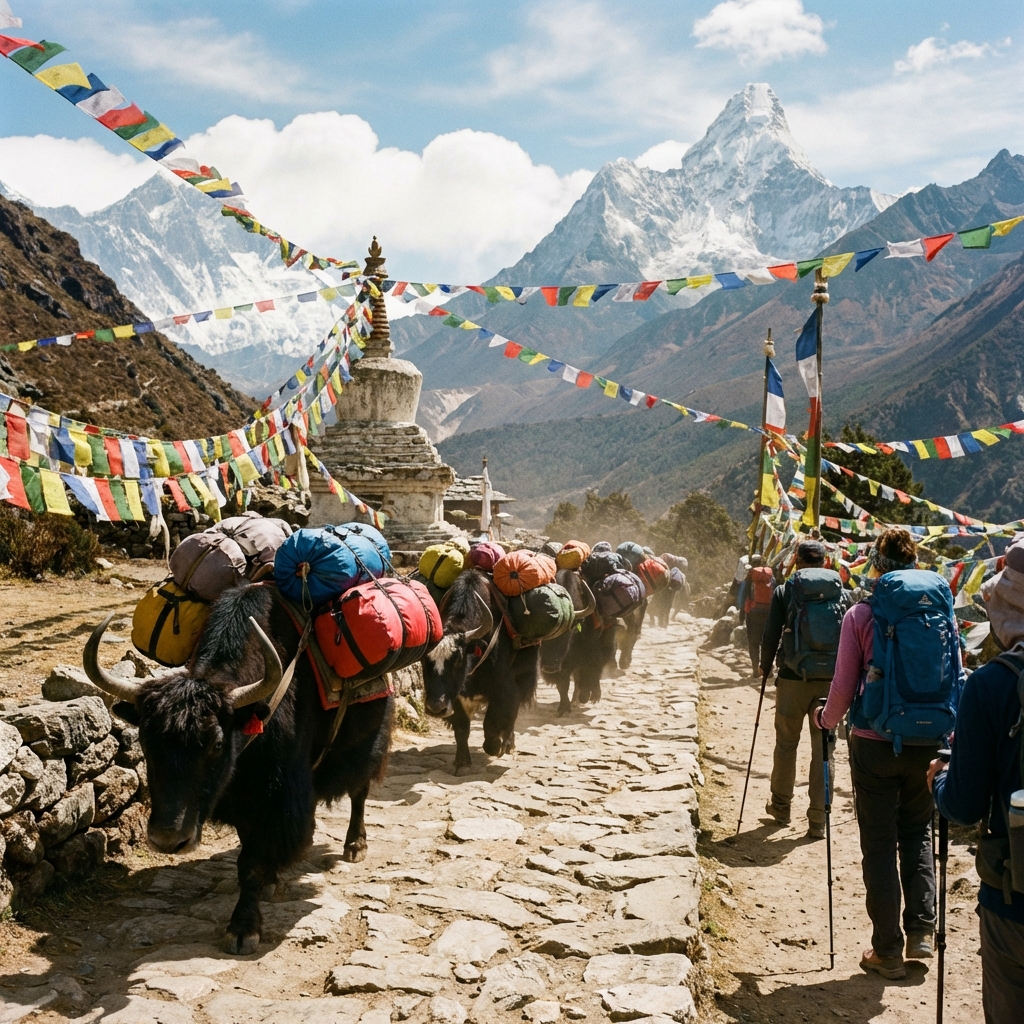
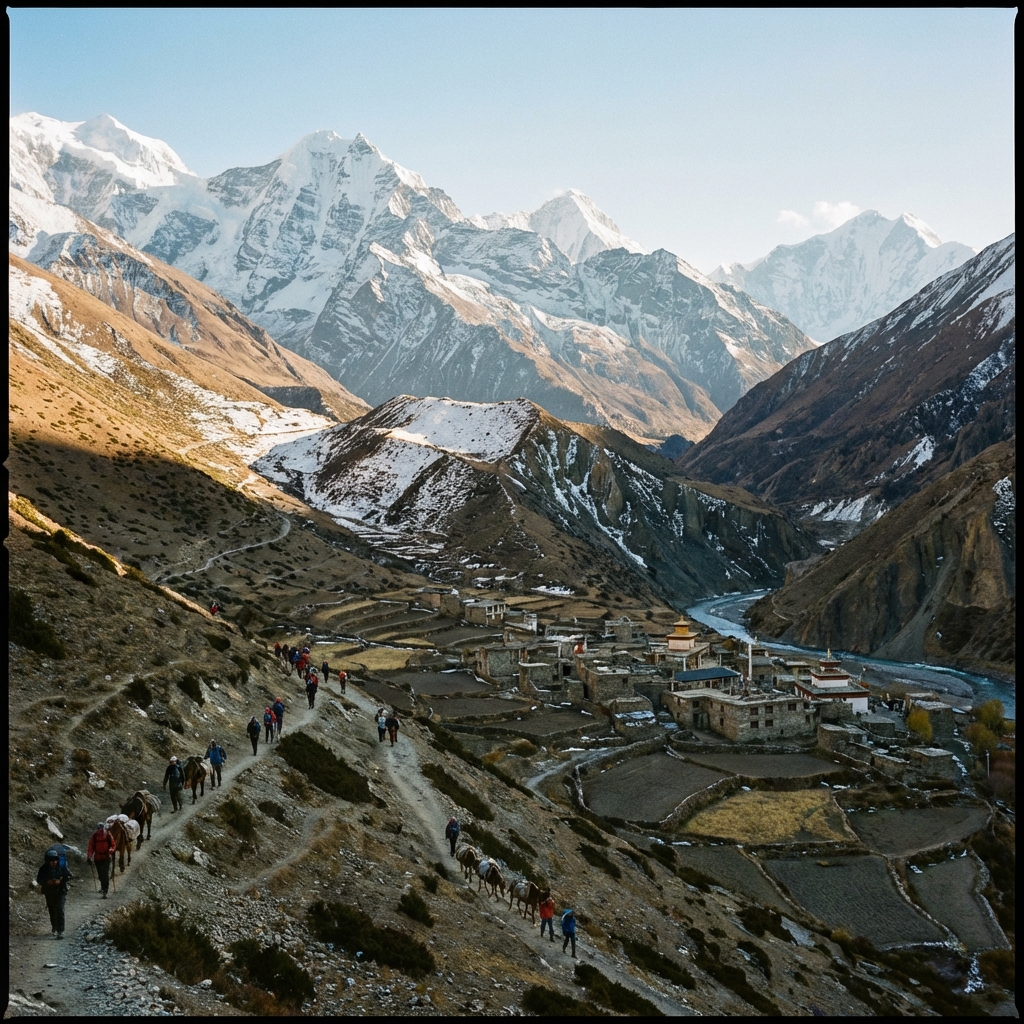
As of 2026, you can make calls, send messages, and access mobile data at surprisingly high altitudes on Nepal's major trekking routes. Ncell now provides 4G coverage up to Gorak Shep (5,200m) on the Everest Base Camp trek, and Nepal Telecom reaches Annapurna Base Camp (4,130m). This guide provides verified, current information on exactly where you'll have signal—and where you won't.
Every trekking season, thousands of trekkers arrive in Kathmandu expecting to stay connected with family, share photos on social media, navigate using GPS apps, and communicate with their trekking teams. Yet most arrive with incomplete or outdated information about Nepal's mobile networks, leading to frustration, wasted money on ineffective SIM cards, or worse—being unreachable during emergencies.
Here's what most trekkers don't realize: the SIM card you buy matters enormously. Ncell dominates in the Everest region with 4G coverage extending to 5,200m, while Nepal Telecom (NTC) provides superior coverage in the Annapurna and Langtang regions. Choose wrong, and you'll have zero signal for days. Choose right, and you can video call home from viewpoints above 4,000m.
Beyond SIM cards, understanding tea house WiFi costs (₨500-1,200 per day), knowing which communication apps work best (Viber is more popular than WhatsApp in Nepal), and having backup options for emergencies can transform your trekking experience from digitally isolated to comfortably connected.
This comprehensive guide cuts through the confusion with verified, practical information covering every aspect of staying connected in Nepal in 2026. We compare Ncell vs Nepal Telecom with actual coverage maps, explain the tourist SIM activation process step-by-step, detail data package options for different trek durations, provide route-specific coverage information (including exact villages where signal drops), cover emerging eSIM options, and explain emergency communication when cellular networks fail.
Table of Contents
- Quick Connectivity Overview
- Ncell vs Nepal Telecom: Complete Comparison
- Where to Buy Tourist SIM Cards
- Tourist SIM Activation Process
- Data Packages for Trekkers
- Mobile Coverage by Trek Route
- WiFi at Tea Houses
- eSIM Options for 2026
- Communication Apps That Work
- Emergency Communication
- Complete Cost Breakdown
- Charging Stations on Trail
- Satellite Communication Options
- Tips for Maximizing Connectivity
- Common Connectivity Problems Solved
- Frequently Asked Questions
Quick Connectivity Overview
Ncell, Nepal Telecom (NTC), Smart Cell
₨110-200 ($0.80-$1.50 USD)
₨500-1,500 ($3.60-$11 USD) for 10-30GB
Valid passport + visa stamp + 1 photo
10-15 minutes at airport/shop
₨500-1,200 ($3.60-$8.70) per 24 hours
Up to Gorak Shep (5,200m) with Ncell
Up to base camp (4,130m) with NTC
Airalo (Ncell network) or Holafly (NTC network)
Satellite phone (Thuraya) for guides
The Essential Facts You Need to Know
Best Overall Choice for Most Trekkers:
- Everest region: Ncell (superior 4G coverage up to 5,200m)
- Annapurna region: Nepal Telecom (better coverage above Chhomrong)
- Langtang region: Nepal Telecom (more reliable above Lama Hotel)
- Multiple regions: Buy both SIM cards (total cost under $2)
Realistic Expectations:
- Lower altitudes (2,000-3,500m): Good 3G/4G coverage, reliable data, video calls possible
- Mid altitudes (3,500-4,500m): Intermittent 3G/4G, basic messaging works, data slow
- High altitudes (4,500m+): Spotty coverage, calls/SMS more reliable than data, weather-dependent
- Very high altitudes (5,000m+): Limited coverage, specific locations only, unreliable
Total Connectivity Budget for 2-Week Trek:
- Tourist SIM card: ₨110-200 ($0.80-$1.50)
- Data package (20GB): ₨700-1,200 ($5-$9)
- Occasional tea house WiFi (3-5 days): ₨1,500-3,000 ($11-$22)
- Total: $17-32 for full connectivity
Pro Tip
Buy both Ncell and Nepal Telecom SIM cards at the airport. Total cost is under $2, and having both ensures you'll have the best possible coverage throughout Nepal. Many experienced trekkers keep both SIMs active, using whichever has better signal at each location.
Ncell vs Nepal Telecom: Complete Comparison
Nepal has two dominant mobile network providers: Ncell (private company, 15+ million subscribers) and Nepal Telecom/NTC (state-owned, 20+ million subscribers). For trekkers, understanding the differences is crucial—your choice directly impacts whether you'll have signal.
Comprehensive Provider Comparison
Detailed Network Analysis
Ncell: The Everest Specialist
Strengths:
- Unmatched Everest coverage: First provider to install 4G at high altitude, with towers at Somare Pari Hill, Dingboche, and near Gorak Shep
- Superior data speeds: Generally faster LTE performance where coverage exists
- Strong Namche Bazaar presence: Excellent signal for multi-day acclimatization stays
- Better customer service: English-speaking support, responsive to issues
- Modern network: Newer infrastructure, better optimization
Weaknesses:
- Poor Annapurna high-altitude coverage: Signal drops significantly above Chhomrong (2,170m)
- Weak Langtang performance: Rarely works past Lama Hotel (2,480m)
- Limited reach in remote regions: Focuses on popular routes, less coverage in off-the-beaten-path areas
- Higher data package costs: Packages generally 10-20% more expensive than NTC for equivalent data
Best for trekkers doing:
- Everest Base Camp (essential choice)
- Everest Three Passes
- Gokyo Lakes
- Any Khumbu/Everest region trek
Real user experience (2025): "I had Ncell for my EBC trek in November 2026. Made a video call to my family from Dingboche (4,410m) with surprisingly good quality. Signal was strong all the way to Gorak Shep. At Everest Base Camp itself, I had intermittent signal but could send WhatsApp messages. Money well spent." — Marcus T., Germany
Nepal Telecom (NTC): The Comprehensive Choice
Strengths:
- Best remote area coverage: Government mandate to provide service in all regions leads to broader tower placement
- Superior Annapurna performance: Works reliably up to Annapurna Base Camp, signals at Thorong La Pass
- Excellent Langtang coverage: Provides signal to Kyanjin Gompa and sometimes beyond
- Better value: Data packages offer 30-50% more data per rupee spent
- Longer validity periods: 28-42 day packages ideal for longer treks
- Free airport SIMs: Tourist SIM cards sometimes offered free at Tribhuvan International Airport
Weaknesses:
- Weaker Everest high-altitude coverage: Doesn't compete with Ncell above Tengboche in Khumbu
- Slower customer service: Government bureaucracy can make issue resolution frustrating
- Older infrastructure in some areas: Some towers haven't been upgraded to 4G
- Inconsistent performance: Service quality varies more than Ncell's
Best for trekkers doing:
- Annapurna Base Camp (essential choice)
- Annapurna Circuit (essential choice)
- Langtang Valley (essential choice)
- Manaslu Circuit
- Gosainkunda
- Remote region treks
Real user experience (2025): "NTC saved me on the Annapurna Circuit. While my friend with Ncell had no signal above Chhomrong, I had reliable 3G all the way to Deurali and even got some signal at ABC. Cost less than Ncell too. Highly recommend for Annapurna region." — Sarah M., Australia
Smart Cell: The Third Option
Smart Cell (also called Smart Telecom or STel) is Nepal's third mobile provider with limited but growing coverage.
Pros:
- Competitive pricing
- Good urban coverage in Kathmandu and Pokhara
- Newer network technology in covered areas
Cons:
- Virtually no trekking route coverage
- Limited tower infrastructure outside major cities
- Smaller subscriber base means less network priority
Verdict: Skip for trekking purposes. Smart Cell is fine for Kathmandu/Pokhara stays but useless on trails.
The Dual SIM Strategy (Recommended)
Why carry both Ncell and NTC:
- Complementary coverage: Where one fails, the other often works
- Minimal cost: Total investment under $2 for both SIM cards
- Emergency redundancy: If one network goes down, you have backup
- Flexibility: Use whichever has better signal at each location
- No downside: Modern phones support dual SIM or you can swap SIMs
How to implement:
- Dual SIM phone: Install Ncell in slot 1 (primary data), NTC in slot 2
- Single SIM phone: Carry both SIMs, check both each morning, use whichever has better signal that day
- Data strategy: Load primary data package on Ncell (if Everest) or NTC (if Annapurna), use the other for calls/SMS backup
Most Trekkers' Strategy
Experienced Nepal trekkers typically buy both SIMs at the airport (takes 20 minutes total), load a 20-30GB data package on whichever matches their primary trekking region, and keep the second SIM for backup. Total cost is $10-15, and you're covered for virtually any situation.
Where to Buy Tourist SIM Cards
You have three main options for purchasing tourist SIM cards in Nepal: Tribhuvan International Airport (most convenient), shops in Thamel/Pokhara (more options), or outlets in trekking villages (limited availability). Each has advantages and trade-offs.
Option 1: Tribhuvan International Airport (Recommended)
Location: Just outside the baggage claim area and customs exit, in the arrivals hall. Both Ncell and Nepal Telecom have clearly marked official counters.
Hours:
- Ncell counter: 9:00 AM - 5:30 PM daily (NOT 24 hours)
- NTC counter: 9:00 AM - 5:30 PM daily (similar hours)
- Important: If you arrive early morning (before 9 AM) or late evening (after 6 PM), counters will be closed. You'll need to wait or purchase in the city.
What to expect:
- Walk out through customs with your luggage
- Look right—you'll see mobile operator counters
- Join queue (usually 5-10 people, moves quickly)
- Present passport, visa page, and one passport photo
- Staff completes registration form (you sign)
- SIM card activated in 10-15 minutes
- They'll help you install SIM and test the connection
- You can purchase data packages immediately
Advantages:
- Maximum convenience: Get connected before leaving airport
- Professional setup: Staff install and test SIM card for you
- Immediate activation: Working phone before you reach Kathmandu
- Tourist-friendly service: Staff accustomed to foreign customers, speak English
- Both providers available: Can buy both Ncell and NTC in one stop
- Sometimes free NTC SIMs: Nepal Telecom occasionally offers free tourist SIMs at airport (worth asking)
Disadvantages:
- Limited hours: Counters close at 5:30 PM, not available for late/early flights
- Potential queues: During peak season (October-November, March-April), wait times can be 20-30 minutes
- Slightly higher package costs: Data packages may be ₨50-100 more expensive than city shops
- Less package variety: Airport counters stock popular packages but not full range
Cost at airport:
- Ncell SIM: ₨110 ($0.80)
- NTC SIM: ₨90-200 ($0.70-$1.50), sometimes free for tourists
- Popular data packages available immediately
Insider tips:
- Have your passport photo ready (some counters have photo printing, but faster if you bring)
- Bring a pen to sign forms
- Ask for both Ncell and NTC SIMs while you're there
- Request staff to check signal strength before you leave counter
- Get their WhatsApp/phone number for support if needed
Pro Tip
If your flight arrives after 5:30 PM and the counters are closed, don't worry. You can easily purchase SIM cards the next day in Thamel. Most trekkers spend 1-2 days in Kathmandu before trekking, giving plenty of time. Alternatively, many hotels can arrange SIM card purchase and registration for guests.
Option 2: Thamel (Kathmandu Tourist District)
Location: Thamel, Kathmandu's tourist hub, has dozens of mobile shops and official Ncell/NTC centers. Official centers are more reliable than small shops.
Finding official centers:
- Search Google Maps for "Ncell Center Thamel" or "Nepal Telecom Thamel"
- Look for official signage and branding
- Ask your hotel/hostel for nearest authorized dealer
- Major centers are on main Thamel roads, easy to find
Hours:
- Official centers: 9:00 AM - 6:00 PM Sunday-Friday
- Small shops: 8:00 AM - 8:00 PM daily (more flexible)
- Saturday: Some centers closed or limited hours (Nepal's weekly holiday)
What to expect:
- Visit official Ncell or NTC center
- Present passport, visa, passport photo
- Complete registration form
- Pay for SIM and selected data package
- Activation takes 10-20 minutes
- Staff configure phone and test
Advantages:
- More time to compare: Can visit multiple shops, compare packages
- Better package deals: City shops often have promotions, bundle offers
- Wider package selection: Full range of data packages available
- Can shop around: Compare Ncell vs NTC in detail, ask questions
- Flexible timing: Can purchase when convenient during Kathmandu stay
- Hotel assistance: Many hotels help with registration and translation
Disadvantages:
- Takes more time: Need to dedicate 30-60 minutes to find shop, register, activate
- Saturday closures: Official centers often closed on Saturdays
- Language barriers: Small shops may have limited English
- Risk of unofficial dealers: Some shops aren't authorized, leading to registration problems
- Less convenient: Must navigate Thamel streets with luggage or on separate trip
Cost in Thamel:
- Often ₨50-100 cheaper than airport for data packages
- More promotional offers
- Bundle deals (SIM + data package) sometimes available
Which shops to trust:
- Official Ncell Centers: Look for bright blue Ncell branding
- Official NTC Centers: Look for red/blue Nepal Telecom signage
- Authorized dealers: Display official authorization certificates
- Avoid: Small mobile shops without official branding unless hotel-recommended
Option 3: Pokhara Mobile Shops
When relevant: If you're flying directly to Pokhara to start Annapurna treks, or if you forgot to buy in Kathmandu.
Location: Multiple official Ncell and NTC centers around Lakeside (tourist area), near the airport.
Process: Identical to Thamel—passport, photo, registration, activation in 15-20 minutes.
Advantages:
- Convenient if starting trek from Pokhara
- Less crowded than Kathmandu options
- Staff experienced with trekkers heading to Annapurna
Note: Same hours and closure patterns as Thamel (closed Saturdays at official centers).
Option 4: Mobile Shops in Trekking Villages
Available in major trekking towns:
- Lukla: Ncell shop near airport (expensive, limited packages)
- Namche Bazaar: Multiple shops selling SIMs (markup prices)
- Manang: Small mobile shops (limited stock)
Emergency option only:
- Prices 50-100% higher than Kathmandu
- Limited package selection
- Registration can be problematic (not always official process)
- Should only be used if you forgot or lost your SIM
Verdict: Buy before trekking. Village purchases are expensive and unreliable.
Tourist SIM Activation Process
Understanding the exact activation process helps you prepare documents and complete registration quickly. Nepal has mandatory registration requirements for all SIM cards to combat illegal activities.
Required Documents (Mandatory)
You cannot purchase a SIM card without these documents:
-
Valid passport (original, not a copy)
- Must be valid for at least 6 months
- Must contain Nepal entry stamp
-
Nepal visa (tourist visa stamp in passport)
- Shows legal entry to Nepal
- On-arrival visa stamp is sufficient
-
One passport-sized photograph
- 2x2 inch (5x5 cm) size
- Recent photo (color)
- Many shops have instant photo printing if you forgot
Why these requirements? Nepal government mandates KYC (Know Your Customer) verification for all SIM cards. This is tracked in a national database to prevent misuse. Tourist SIMs are specifically registered as temporary visitor accounts.
Don't Skip the Registration
Some trekkers report being offered "already activated" SIM cards to skip registration. Avoid this. Unregistered SIMs can be deactivated without warning, may not work in trekking regions, and technically violate Nepal telecommunications law. The 15 minutes spent on proper registration is worth it.
Step-by-Step Activation Process
Step 1: Choose your provider
- Decide on Ncell, NTC, or both based on your trekking routes
Step 2: Find an official outlet
- Airport counter, official city center, or authorized dealer
Step 3: Present documents
- Hand over passport, show visa page, provide photo
- Staff will verify documents
Step 4: Complete registration form
- Staff fills out most information from your passport
- You'll need to provide:
- Your home country address
- Email address (optional but recommended)
- Phone number from home country (optional)
- Sign the form
Step 5: Pay for SIM card
- Ncell: ₨110 ($0.80)
- NTC: ₨90-200 ($0.70-$1.50), sometimes free at airport
- Cash payment (Nepali rupees preferred, USD sometimes accepted)
Step 6: Purchase data package (recommended)
- Most trekkers buy data package immediately
- Staff will explain options
- Popular choice: 20-30GB package for 28-day validity
Step 7: SIM installation and activation
- Staff install SIM in your phone
- They configure APN settings if needed
- Test call and data connection
- Activation takes 10-15 minutes
Step 8: Save support information
- Get phone number of the shop/counter
- Note customer service numbers:
- Ncell: 9010 (from Ncell number), +977-9849422222 (WhatsApp support)
- NTC: 1412 (from NTC number), +977-9851001415
Phone Compatibility
SIM card size:
- Both Ncell and NTC provide nano-SIM, micro-SIM, and standard SIM
- Modern phones use nano-SIM (smallest)
- Staff will cut SIM to your required size or provide correct size
Phone unlock status:
- Your phone must be unlocked (not locked to a carrier)
- Most modern smartphones are unlocked or can be unlocked
- If your phone shows "SIM not supported" after insertion, it's locked to your home carrier
How to check if your phone is unlocked:
- Before traveling, insert a friend's SIM from a different carrier
- If it works, your phone is unlocked
- If it says "Invalid SIM" or "SIM locked," contact your carrier to unlock
Network compatibility:
- Ncell: 2G (900/1800 MHz), 3G (2100 MHz), 4G LTE (Band 3: 1800 MHz)
- NTC: 2G (900/1800 MHz), 3G (2100 MHz), 4G LTE (Band 3: 1800 MHz, Band 5: 850 MHz)
- All modern smartphones (iPhone, Samsung, Google Pixel, etc.) are compatible
Activation Timeline
Immediate (most common):
- 90% of SIM cards activate within 10-15 minutes
- You can make calls and use data immediately
Delayed activation:
- Sometimes takes up to 2-4 hours (rare)
- Usually due to system delays in registration database
- If not active after 4 hours, contact customer service
Data package activation:
- Instant for most packages
- Dial activation code, receive confirmation SMS within seconds
Configuration Settings
iPhone:
- Usually auto-configures
- If needed: Settings > Cellular > Cellular Data Options > APN
- Ncell APN:
ncell - NTC APN:
ntnet
- Ncell APN:
Android:
- Usually auto-configures
- If needed: Settings > Network > Mobile Networks > Access Point Names
- Ncell APN:
ncell - NTC APN:
ntnet
- Ncell APN:
Pro Tip
Take a photo of your SIM card packaging and registration form with your phone. It contains your new Nepal phone number, customer ID, and important codes. If you lose this information on the trail, you won't be able to recharge or troubleshoot.
Data Packages for Trekkers
After activating your SIM card, you'll need to purchase a data package. Both Ncell and Nepal Telecom offer various packages optimized for different usage patterns and trek durations.
Understanding Package Types
Data-only packages:
- Pure data allowance (no included calls/SMS)
- Most cost-effective for trekkers using WhatsApp/Viber
- Best value per GB
Combo packages:
- Data + voice minutes + SMS
- Good if you'll make regular phone calls
- Slightly more expensive per GB
Validity periods:
- 7 days: Short treks, quick visits
- 14-28 days: Standard trekking duration
- 42+ days: Long expeditions, extended stays
Ncell Data Packages (2026 Pricing)
How to activate Ncell packages:
- Dial
*141#from your Ncell number - Select data packages menu
- Choose your package
- Confirm purchase
- Receive SMS confirmation within seconds
Alternative method:
- Send SMS with package code to 17123
- Visit Ncell office
- Use Ncell app (download from Play Store/App Store)
Nepal Telecom (NTC) Data Packages (2026 Pricing)
How to activate NTC packages:
- Dial
*1415#from your NTC number - Navigate to data packages
- Select your package
- Confirm
- Receive SMS confirmation
Alternative methods:
- SMS package code to 1415
- Visit Nepal Telecom office
- Use Nepal Telecom app
Choosing the Right Package for Your Trek
For 10-14 day treks (EBC, ABC standard routes):
- Recommended: 20-30 GB package with 28-day validity
- Reasoning: Covers trek duration plus Kathmandu time before/after
- Cost: ₨600-800 ($4.35-$5.80)
- Usage estimate: 1-2 GB per day (messaging, social media, GPS, occasional video call)
For 16-21 day treks (Annapurna Circuit, Three Passes, Manaslu):
- Recommended: 30-40 GB package with 28-42 day validity
- Reasoning: Longer duration, more downtime in tea houses
- Cost: ₨800-1,200 ($5.80-$8.70)
- Usage estimate: 1.5-2 GB per day average
For short treks (5-7 days like Poon Hill, Ghorepani):
- Recommended: 10 GB / 7-day package
- Cost: ₨150-500 ($1.10-$3.60)
- Usage estimate: Less than 2 GB per day, limited trekking time
For multi-month stays or multiple treks:
- Recommended: 60GB / 30-day package, recharge monthly
- Cost: ₨800 per month ($5.80)
- Flexibility: Can recharge additional packages as needed
Data Usage Estimates
Light usage (0.5-1 GB/day):
- WhatsApp messages and occasional photos
- Check email once daily
- GPS navigation with offline maps
- No video calls, minimal social media
Moderate usage (1-2 GB/day):
- WhatsApp messages, photos, and voice calls
- Daily email and social media scrolling
- Upload Instagram photos/stories (compressed)
- Occasional video calls (5-10 minutes)
- GPS with some online map tiles
Heavy usage (2-4 GB/day):
- Frequent WhatsApp and social media
- Multiple video calls daily
- Upload high-resolution photos
- Stream music/podcasts
- Watch occasional YouTube videos
- Heavy Instagram/Facebook usage
Real Trek Usage Data
Analysis of 50 trekkers on 12-14 day EBC treks in 2026 showed average data usage of 18GB total (1.3GB/day). Heavy users consumed 25-30GB, while light users needed only 8-12GB. The most data-intensive activities were: uploading photos to Instagram (40% of usage), video calls home (30%), and WhatsApp photo sharing (20%).
How to Check Balance and Recharge
Ncell balance check:
- Dial
*101#for balance - Dial
*141#for package info and recharge options - SMS "BAL" to 17123
NTC balance check:
- Dial
*415#for balance - Dial
*1415#for package menu - SMS "DATA BAL" to 1415
Recharging on trail:
- Most tea houses sell top-up scratch cards for ₨100, ₨500, ₨1,000
- Can purchase data packages using scratch card credit
- Some tea houses accept cash and recharge your account directly
Pro Tip
Purchase your full data package before leaving Kathmandu/Pokhara. Recharging on the trail is possible but inconvenient, and tea houses mark up recharge cards by 10-20%. A 30GB package costing ₨800 in Kathmandu might cost ₨900-1,000 at Namche Bazaar.
Mobile Coverage by Trek Route
Understanding where you'll have signal—and where you won't—helps set realistic expectations and plan communication windows. Coverage varies dramatically by route, altitude, and provider.
Everest Base Camp Trek Coverage
Provider recommendation: Ncell (essential), NTC (optional backup)
Detailed coverage by village:
Lukla (2,860m):
- Ncell: Excellent 4G (15-25 Mbps), reliable
- NTC: Good 3G/4G, slightly slower than Ncell
- Rating: ★★★★★ (5/5)
Phakding (2,610m):
- Ncell: Excellent 4G
- NTC: Good 3G
- Rating: ★★★★★ (5/5)
Monjo/Park Entrance (2,835m):
- Ncell: Good 4G (10-20 Mbps)
- NTC: Moderate 3G, occasionally 4G
- Rating: ★★★★☆ (4/5)
Namche Bazaar (3,440m):
- Ncell: Excellent 4G (20-30 Mbps), best coverage on entire route
- NTC: Good 3G/4G (10-15 Mbps)
- Rating: ★★★★★ (5/5) - Best connectivity spot on EBC trek
- Notes: Ncell tower in village center, reliable for 3-day acclimatization stay
Tengboche (3,860m):
- Ncell: Good 4G at monastery and lodges (8-15 Mbps)
- NTC: Weak 3G, unreliable
- Rating: ★★★★☆ (4/5) Ncell only
Dingboche (4,410m):
- Ncell: Moderate 4G (5-12 Mbps), weather-dependent
- NTC: Very weak or no signal
- Rating: ★★★☆☆ (3/5) - Ncell works most of the time
Lobuche (4,940m):
- Ncell: Weak 3G/4G, intermittent (2-5 Mbps when available)
- NTC: No reliable coverage
- Rating: ★★☆☆☆ (2/5) - Signal spotty, calls more reliable than data
Gorak Shep (5,164m):
- Ncell: Weak but present 3G, location-dependent (1-4 Mbps)
- NTC: Minimal to no coverage
- Rating: ★★☆☆☆ (2/5) - Can make calls and send messages, heavy data usage difficult
Everest Base Camp (5,364m):
- Ncell: Very weak, intermittent signal (might get SMS/calls, data unreliable)
- NTC: No coverage
- Rating: ★☆☆☆☆ (1/5) - Signal comes and goes, don't rely on it
Kala Patthar (5,545m):
- Ncell: Very weak if any signal
- NTC: No coverage
- Rating: ★☆☆☆☆ (1/5) - Essentially no reliable coverage
Practical tips for EBC:
- Upload photos and make video calls during 3 days in Namche Bazaar
- Send important messages in the morning from Dingboche (better signal)
- At Lobuche/Gorak Shep, signal is best outside lodges and early morning
- Download offline maps and content before leaving Namche
- Don't rely on live weather updates above Dingboche
Annapurna Base Camp Trek Coverage
Provider recommendation: Nepal Telecom (NTC) (essential), Ncell (limited usefulness)
Detailed coverage by village:
Nayapul/Tikhedhunga (1,480-1,540m):
- NTC: Excellent 4G
- Ncell: Excellent 4G
- Rating: ★★★★★ (5/5)
Ghorepani/Poon Hill (2,850-3,210m):
- NTC: Good 4G/3G
- Ncell: Good 4G/3G
- Rating: ★★★★☆ (4/5)
Tadapani (2,630m):
- NTC: Good 3G
- Ncell: Moderate 3G
- Rating: ★★★★☆ (4/5)
Chhomrong (2,170m):
- NTC: Good 4G (10-18 Mbps)
- Ncell: Moderate 4G but this is where Ncell starts declining
- Rating: ★★★★☆ (4/5) - Last really good coverage for Ncell
Sinuwa (2,360m):
- NTC: Good 3G/4G
- Ncell: Weak and unreliable
- Rating: ★★★☆☆ (3/5) NTC only
Bamboo (2,310m):
- NTC: Moderate 3G
- Ncell: Very weak or no signal
- Rating: ★★★☆☆ (3/5) NTC only
Dovan/Himalaya Hotel (2,600-2,920m):
- NTC: Moderate 3G, can make calls and send messages
- Ncell: No reliable signal
- Rating: ★★☆☆☆ (2/5) NTC only
Deurali (3,230m):
- NTC: Weak but functional 3G (2-5 Mbps)
- Ncell: No coverage
- Rating: ★★☆☆☆ (2/5) NTC only - Calls and messaging work
Annapurna Base Camp (4,130m):
- NTC: Weak 3G, intermittent but usually present (1-3 Mbps)
- Ncell: No coverage
- Rating: ★★☆☆☆ (2/5) NTC only - Can make calls, basic data works
Machapuchare Base Camp (3,700m):
- NTC: Similar to ABC, weak but functional
- Ncell: No coverage
- Rating: ★★☆☆☆ (2/5)
Practical tips for ABC:
- Must have NTC SIM card for any coverage above Chhomrong
- Signal is best at ABC in early morning and late afternoon
- Deurali and ABC have solar power issues, affecting tower performance on cloudy days
- Upload photos during acclimatization stops at Chhomrong or Sinuwa
- Ncell is essentially useless above Chhomrong—don't rely on it
Ncell Users Warning for ABC
If you only have Ncell and are trekking to Annapurna Base Camp, you will have NO reliable coverage above Chhomrong. This means 4-5 days without communication. Buy an NTC SIM card before the trek begins. This is not optional if you need connectivity.
Annapurna Circuit Coverage
Provider recommendation: NTC (essential), Ncell (works lower elevations only)
Western Section (Besisahar to Manang):
Besisahar to Chame (820-2,670m):
- NTC: Good 4G throughout lower section
- Ncell: Good 4G to Chamje, then declining
- Rating: ★★★★☆ (4/5)
Manang (3,540m):
- NTC: Moderate 3G/4G, can fluctuate (5-12 Mbps)
- Ncell: Weak signal, unreliable
- Rating: ★★★☆☆ (3/5) - Signal depends on power supply and weather
Yak Kharka to Thorong Phedi (4,018-4,540m):
- NTC: Weak 3G, very intermittent
- Ncell: No reliable coverage
- Rating: ★★☆☆☆ (2/5) - Very limited connectivity
Thorong La Pass (5,416m):
- NTC: Occasionally weak signal at pass itself (can get SMS sometimes)
- Ncell: No coverage
- Rating: ★☆☆☆☆ (1/5) - Essentially no coverage, emergency calls might work
Eastern Section (Muktinath to Jomsom):
Muktinath (3,710m):
- NTC: Good 3G, reliable
- Ncell: Moderate 3G
- Rating: ★★★★☆ (4/5) - Good recovery of signal after high pass
Jomsom (2,720m):
- NTC: Excellent 4G (airport town)
- Ncell: Good 4G
- Rating: ★★★★★ (5/5)
Practical tips for Annapurna Circuit:
- Manang is your last good connectivity before the pass (send updates here)
- No reliable signal for 2-3 days crossing Thorong La
- Connectivity returns at Muktinath
- Download offline entertainment and maps before leaving Manang
Langtang Valley Trek Coverage
Provider recommendation: NTC (essential), Ncell (poor above Lama Hotel)
Syabrubesi (1,420m):
- NTC: Excellent 4G
- Ncell: Good 4G
- Rating: ★★★★★ (5/5)
Lama Hotel (2,480m):
- NTC: Good 3G
- Ncell: Weak 3G, this is where Ncell essentially ends
- Rating: ★★★☆☆ (3/5)
Langtang Village (3,430m):
- NTC: Moderate 3G (5-10 Mbps), weather-dependent
- Ncell: Very weak or no signal
- Rating: ★★★☆☆ (3/5) NTC only
Kyanjin Gompa (3,870m):
- NTC: Weak but surprisingly functional 3G (2-6 Mbps)
- Ncell: No reliable coverage
- Rating: ★★☆☆☆ (2/5) NTC only - Signal best in early morning
Kyanjin Ri/Tserko Ri (4,600m+):
- NTC: Occasionally weak signal, unreliable
- Ncell: No coverage
- Rating: ★☆☆☆☆ (1/5)
Practical tips for Langtang:
- NTC is absolutely essential—Ncell is useless above Lama Hotel
- Kyanjin Gompa has surprising connectivity for its altitude
- Signal quality depends heavily on weather (clouds block signal)
- Make important calls from Kyanjin Gompa in the morning
Manaslu Circuit Coverage
Provider recommendation: NTC (essential), Ncell (almost entirely useless)
Soti Khola to Namrung (700-2,630m):
- NTC: Moderate 3G in lower villages, intermittent above Jagat
- Ncell: Very limited coverage
- Rating: ★★☆☆☆ (2/5)
Samagaon (3,530m):
- NTC: Weak 3G, intermittent but can make calls and send messages
- Ncell: No coverage
- Rating: ★★☆☆☆ (2/5) NTC only
Samdo to Dharamsala (3,800-4,460m):
- NTC: No reliable coverage
- Ncell: No coverage
- Rating: ☆☆☆☆☆ (0/5) - Essentially no coverage for 2-3 days
Larkya La Pass (5,160m):
- NTC: No coverage
- Ncell: No coverage
- Rating: ☆☆☆☆☆ (0/5)
Dharapani (Eastern exit, 1,860m):
- NTC: Good 3G, signal returns
- Ncell: Moderate 3G
- Rating: ★★★☆☆ (3/5) - First good signal in days
Practical tips for Manaslu:
- Expect 4-5 days with NO reliable mobile coverage
- Send updates from Samagaon before the pass
- Guides carry satellite phones for emergencies
- This is one of Nepal's most remote trekking routes—connectivity is minimal
Coverage Summary by Region
Best coverage treks:
- Everest Base Camp (with Ncell): 70% coverage, excellent to 4,400m
- Poon Hill/Ghorepani: 90% coverage, both providers good
- Langtang Valley (with NTC): 60% coverage, functional to 3,870m
Moderate coverage treks:
- Annapurna Base Camp (with NTC): 50% coverage, works to ABC
- Annapurna Circuit (with NTC): 60% coverage, gap at high pass
Limited coverage treks:
- Manaslu Circuit: 30% coverage, large gaps
- Upper Mustang: 40% coverage, intermittent
- Dolpo: <20% coverage, remote regions essentially disconnected
Pro Tip
When trekking in regions with limited coverage, develop a communication schedule with family. For example: "I'll send updates from Namche (Day 3), Dingboche (Day 7), and Namche again (Day 11). If you don't hear from me for 3-4 days, that's normal—I'm in a signal dead zone." This prevents worried families from panicking.
WiFi at Tea Houses
Nearly all tea houses on major trekking routes now offer WiFi service—but it's slow, expensive, and unreliable compared to Western standards. Understanding how tea house WiFi works helps you decide whether to use mobile data, pay for WiFi, or plan for offline connectivity.
How Tea House WiFi Works
Technology:
- Most tea houses use mobile broadband connections (Ncell or NTC 3G/4G)
- A single mobile connection is shared among all guests via WiFi router
- Not traditional broadband—essentially hotspot from mobile SIM card
- Limited bandwidth split among 10-30 guests
Why it's slow:
- Single 3G/4G connection divided among many users
- At high altitude, mobile signals are already weak
- Solar power limitations (routers turned off at night to conserve battery)
- Weather affects signal quality
- Peak usage times (evening) create congestion
WiFi Costs by Altitude
Prices increase with altitude due to infrastructure challenges and limited competition:
Lower altitudes (2,000-3,000m):
- Cost: ₨300-500 per 24 hours ($2.20-$3.60)
- Examples: Lukla, Phakding, Monjo, lower Annapurna villages
- Speed: 2-5 Mbps when working well
- Reliability: Generally good
Mid altitudes (3,000-4,000m):
- Cost: ₨500-800 per 24 hours ($3.60-$5.80)
- Examples: Namche Bazaar, Tengboche, Chhomrong, Manang
- Speed: 1-3 Mbps, often slower
- Reliability: Moderate, depends on solar power and weather
High altitudes (4,000-4,500m):
- Cost: ₨800-1,200 per 24 hours ($5.80-$8.70)
- Examples: Dingboche, Deurali (Annapurna), Lobuche
- Speed: 0.5-2 Mbps, painfully slow
- Reliability: Poor, frequent disconnections
Very high altitudes (4,500m+):
- Cost: ₨1,000-1,500 per 24 hours ($7.25-$10.90)
- Examples: Gorak Shep, Annapurna Base Camp lodges
- Speed: <1 Mbps, barely functional
- Reliability: Very poor, may not work for hours
WiFi Card System
How purchasing works:
- Request WiFi card from tea house staff
- Pay ₨400-1,200 depending on location
- Receive card with:
- WiFi network name (SSID)
- Password
- Username/code for login portal
- Validity period (usually 24 hours)
Typical card pricing:
- 24-hour card: ₨400-1,000 (most common)
- 48-hour card: ₨800-1,500 (10-20% discount vs buying two 24-hour cards)
- Per-hour cards: ₨100-300 (available in some places, poor value)
Activation:
- Connect to WiFi network
- Open browser (auto-redirects to login portal)
- Enter username/password from card
- Accept terms
- Connected (timer starts)
Multi-device:
- Most systems allow only ONE device connected per card
- Some tea houses allow 2 devices but significantly slower
- Sharing one card among multiple travelers doesn't work well
WiFi Speed Reality Check
What you CAN do:
- ✅ Send WhatsApp text messages
- ✅ Send compressed photos (wait 2-5 minutes per photo)
- ✅ Check email (text only)
- ✅ Basic web browsing (very slow page loads)
- ✅ Update Facebook/Instagram text posts
- ✅ Check weather forecasts
What you CAN'T realistically do:
- ❌ Video calls (too slow, constant buffering)
- ❌ Stream music or podcasts
- ❌ Watch YouTube videos
- ❌ Upload high-resolution photos (would take 30+ minutes each)
- ❌ Video streaming of any kind
- ❌ Download apps or updates
- ❌ Load image-heavy websites
Typical speeds by location:
| Location | Expected Speed | Reality |
|---|---|---|
| Namche Bazaar | 2-5 Mbps | Can upload photos, slow but functional |
| Tengboche | 1-3 Mbps | Messaging works, photos take time |
| Dingboche | 0.5-2 Mbps | Very slow, messages only |
| Lobuche | <1 Mbps | Barely works, frustrating |
| Gorak Shep | <0.5 Mbps | Essentially non-functional for anything but text |
Mobile Data vs Tea House WiFi
When to use mobile data (your SIM card):
- ✅ Lower and mid altitudes where signal is good
- ✅ Time-sensitive communication
- ✅ Uploading photos to social media
- ✅ Video calls
- ✅ When you need reliable connection
- ✅ More cost-effective if you have 20-30GB package
When to use tea house WiFi:
- ✅ When your mobile data is running low
- ✅ No mobile signal in that location
- ✅ Staying multiple nights and want occasional connectivity
- ✅ Light usage (checking email, sending messages)
- ✅ Sharing costs with trekking partners (one person buys WiFi, shares phone hotspot)
Cost comparison (14-day trek):
- Mobile data only: 20-30GB package = ₨700-1,200 ($5-$9) total
- Tea house WiFi only: 7-10 nights × ₨600 average = ₨4,200-6,000 ($30-$45) total
- Hybrid approach: Mobile data + 2-3 WiFi cards in dead zones = ₨1,500-2,500 ($11-$18) total
Verdict: Mobile data packages are far more cost-effective and reliable. Use tea house WiFi only as backup when mobile signal is unavailable.
Best Practices for Tea House WiFi
Compress photos before uploading:
- Use apps like "Photo Compress" or "Reduce Photo Size"
- Reduce resolution to 1080p or lower
- Can reduce upload time from 15 minutes to 2 minutes per photo
Use WiFi-optimized apps:
- WhatsApp and Viber compress data automatically
- Use "Data Saver" modes in browsers
- Disable auto-play videos on social media apps
Upload during off-peak hours:
- Early morning (6-8 AM): Fewer users, better speeds
- Mid-afternoon (2-4 PM): Moderate usage
- Avoid: Evening (6-9 PM): Everyone using WiFi, painfully slow
Cache content when you have good signal:
- Download offline maps in Kathmandu or Namche
- Save articles for offline reading
- Download podcasts/music before trek
- Pre-download entertainment
Be patient:
- WiFi at 4,500m is never going to be fast
- Budget 30-60 minutes for uploading 5-10 photos
- Don't expect real-time communication
Tea House WiFi Economics
Many trekkers complain about WiFi costs, but understand the economics: tea houses at 4,500m are powered by solar panels, supplied by porter-carried equipment, and use expensive satellite/mobile connections. The ₨800-1,200 ($6-9) daily WiFi cost covers real infrastructure expenses. If connectivity is important to you, budget for it. If not, embrace the digital detox.
WiFi Availability by Trek
100% WiFi availability:
- Everest Base Camp (every tea house offers WiFi)
- Annapurna Base Camp (every tea house offers WiFi)
- Annapurna Circuit (all major stops)
90%+ WiFi availability:
- Langtang Valley (most tea houses)
- Gokyo Lakes (major villages)
- Poon Hill circuit
50-80% WiFi availability:
- Manaslu Circuit (larger villages only)
- Upper Mustang (main settlements)
Limited WiFi (<50%):
- Dolpo region
- Kanchenjunga
- Makalu Base Camp
- Very remote treks
eSIM Options for 2026
eSIM (embedded SIM) technology is increasingly available for Nepal in 2026, offering a convenient alternative to physical SIM cards. However, eSIMs have significant trade-offs that make physical SIM cards still the better choice for most trekkers.
What is eSIM?
eSIM basics:
- Digital SIM card downloaded to your phone
- No physical card needed
- Activated through app or QR code
- Supported by newer iPhones (XS/XR and later) and many Android phones
How it works:
- Purchase eSIM online before traveling
- Receive QR code or activation code via email
- Scan code in phone settings
- eSIM activates and connects to Nepal network
- Ready to use when you land in Nepal
Major eSIM Providers for Nepal
1. Airalo (Uses Ncell Network)
Overview:
- Most popular eSIM provider globally
- Partners with Ncell in Nepal
- Data-only (no phone number for calls/SMS)
Plans:
- 1GB / 7 days: $4.50 USD
- 3GB / 30 days: $11 USD
- 5GB / 30 days: $16 USD
- 10GB / 30 days: $26 USD
Pros:
- Instant activation
- Setup before arrival
- Uses reliable Ncell network (good for Everest region)
- Established company with good support
Cons:
- 5-10x more expensive than physical SIM cards
- Data-only (cannot make/receive regular phone calls)
- Fixed packages (can't customize or reload easily)
- No access to cheaper local package options
Best for:
- Travelers who value extreme convenience
- Short stays (1-7 days)
- Those with eSIM-compatible phones
- Visitors not trekking extensively
2. Holafly (Uses Nepal Telecom Network)
Overview:
- Unlimited data eSIM plans
- Operates on NTC network
- Data-only service
Plans:
- 1 day unlimited: $26.90 USD
- 7 days unlimited: $46.90 USD
- 15 days unlimited: $66.90 USD
- 30 days unlimited: $288.90 USD
Pros:
- Unlimited data (attractive for heavy users)
- NTC network (better for Annapurna, Langtang regions)
- Simple pricing (no GB counting)
- Hotspot allowed (500MB limit)
Cons:
- Extremely expensive ($47-288 vs $5-10 local SIM)
- "Unlimited" has fair usage caps
- Data-only (no calls/SMS)
- Hotspot severely limited (defeats unlimited claim)
Best for:
- Expense-account travelers
- Those who absolutely must have unlimited data
- Short business trips to Kathmandu/Pokhara
3. Nomad (Multiple Network Options)
Overview:
- Growing eSIM provider
- Offers both Ncell and NTC eSIM options for Nepal
Plans:
- 1GB / 7 days: $5 USD
- 3GB / 30 days: $12 USD
- 5GB / 30 days: $18 USD
Similar to Airalo in pricing and features.
Ncell and NTC Official eSIMs
Both Nepali carriers now offer eSIM:
Ncell eSIM:
- Available but primarily for residents
- Tourists can request but process is complicated
- Not easily purchasable online
- Same pricing as physical SIM once activated
Nepal Telecom eSIM:
- Officially available since 2026
- Can activate at NTC offices in Kathmandu
- Requires same documents as physical SIM (passport, photo)
- Same pricing structure as physical SIM
- Activation process: dial
*1415#to request eSIM conversion
Problem: Both require in-person registration in Nepal, defeating the convenience of eSIM.
eSIM vs Physical SIM Card: Honest Comparison
When eSIM Makes Sense
eSIM is worth considering if:
- ✅ You're only visiting Kathmandu/Pokhara (not trekking)
- ✅ Very short trip (3-5 days)
- ✅ Money is no concern (expense account, business trip)
- ✅ You absolutely cannot spend 15 minutes at airport
- ✅ You need instant connectivity the moment you land
- ✅ Your home SIM must stay in phone (can't swap)
Physical SIM is better if:
- ✅ You're trekking (need maximum value and flexibility)
- ✅ Staying 7+ days
- ✅ Want to make actual phone calls
- ✅ Need emergency calling capability
- ✅ Want 5-10x better value
- ✅ Can spare 15 minutes at airport for registration
My Recommendation: Physical SIM Card
For 90% of trekkers, physical SIM cards remain the superior choice:
- Cost: $5-10 vs $26-66 for similar usage
- Value: 5-10x more data per dollar spent
- Flexibility: Easy to recharge, many package options
- Emergency capability: Can make calls to rescue services, hotels, guides
- Local integration: Get local phone number for booking, communication
The 15 minutes spent at the airport buying and activating a physical SIM card saves you $20-55 and provides significantly better functionality.
eSIM makes sense for business travelers in Kathmandu for 2-3 days who value convenience over cost. For trekkers, the economics strongly favor physical SIM cards.
Pro Tip
If you have a dual-SIM phone (most modern iPhones and Androids), consider: Home SIM in slot 1 (keep your number for banking 2FA), Nepal physical SIM in slot 2 (main data and calls). This is better than eSIM + home SIM because the physical Nepali SIM provides full functionality at 1/5 the cost of eSIM.
Communication Apps That Work
In 2026, Nepal's social media landscape has shifted. Understanding which apps work, which are blocked, and which are most popular among locals is crucial for staying connected.
Current App Status (2026)
Blocked/Restricted Apps:
- WhatsApp: Blocked since 2026 due to government regulations requiring social media registration
- Facebook: Blocked for unregistered platforms
- Instagram: Blocked for unregistered platforms
Working Apps:
- Viber: ✅ Fully functional, most popular in Nepal
- Telegram: ✅ Working, growing usage
- Signal: ✅ Working, privacy-focused option
- WeChat: ✅ Working
- X (Twitter): ✅ Registered and functional
- Email: ✅ Always works
Viber: The Essential App for Nepal
Why Viber dominates in Nepal:
- Over 10 million active users in Nepal
- Registered with Nepal government (not blocked)
- All hotels, trekking agencies, and guides use Viber
- Tea houses communicate via Viber
- Free voice calls, video calls, and messaging over data
Download before traveling:
- Get Viber before arriving in Nepal
- Set up account with your home number
- Once in Nepal, works with Nepal SIM data
Features for trekkers:
- Voice calls (good quality on 3G)
- Video calls (works on 4G, pixelated on 3G)
- Group chats with trekking groups
- Photo/video sharing (compresses automatically)
- Voice messages (great for slow connections)
- Location sharing
- Works offline (messages queue and send when signal returns)
How locals use it:
- Tea house bookings via Viber
- Guide communication before/during trek
- Hotel reservations
- Emergency contact with trekking agencies
Download Viber Before Nepal
Viber is absolutely essential for Nepal in 2026. Every tea house, guide, hotel, and local business uses it as their primary communication tool. Download and set up Viber before your trip—it will be your primary communication app throughout Nepal.
Alternative Communication Apps
Telegram:
- Good privacy, encrypted messaging
- Works well in Nepal
- Less popular than Viber among locals
- Good for personal communication with friends/family
- Channels and groups useful for travel tips
Signal:
- Best privacy and encryption
- Works in Nepal
- Very few locals use it
- Good for sensitive communications
- Lightweight, works on slow connections
Email:
- Always works (web-based or app)
- Reliable for non-urgent communication
- Good for sending detailed trip reports
- Works on very slow connections (text-only)
FaceTime (iPhone/Mac users):
- Works over data connections
- Requires decent 4G signal (lower altitudes only)
- Good quality when it works
- Only works with other Apple users
Skype:
- Still works in Nepal
- Can call regular phone numbers (SkypeOut)
- Heavy data usage
- Quality inconsistent on 3G
VoIP Calling Strategy
For calling home:
- Best: Viber-to-Viber calls (free, good quality on 3G/4G)
- Good: Telegram calls (free, encrypted)
- Okay: Skype (costs money for regular phones)
- Data-heavy: FaceTime (Apple only, requires 4G)
For calling within Nepal:
- Best: Regular phone call (your Nepal SIM, cheap rates)
- Good: Viber-to-Viber (if they have Viber)
- Emergency: Use tea house phone (expensive but reliable)
For calling internationally to regular phones:
- Buy international calling package on Nepal SIM (cheapest)
- Skype credit (moderate cost)
- Avoid: International roaming from home SIM (extremely expensive)
Communication App Data Usage
Understanding data consumption helps plan package size:
Viber:
- Text messages: <1 KB per message (negligible)
- Voice call: 500 KB per minute (~30 MB per hour)
- Video call: 4-8 MB per minute (~240-480 MB per hour)
- Photo sharing: 200-500 KB per compressed photo
Telegram:
- Similar to Viber
- Slightly more efficient compression
- Voice calls: 400-600 KB per minute
Email:
- Text-only: <10 KB per email
- With photos: 500KB-5MB depending on attachments
Social media (when not blocked):
- Instagram scrolling: 100-200 MB per hour
- Facebook scrolling: 150-300 MB per hour
- Uploading 1 photo: 1-3 MB compressed, 5-15 MB original
Pro Tip
Enable "Low Data Mode" or "Data Saver" in your apps to reduce consumption. Viber and Telegram both have data-saving modes that reduce quality but extend your data package. At high altitude with slow speeds, lower quality makes little difference—the call will be pixelated anyway.
Dealing with App Blocks
If WhatsApp/Facebook are essential for you:
Option 1: VPN (Variable Success)
- Some VPNs work in Nepal, allowing access to blocked apps
- ExpressVPN and NordVPN reported to work (as of early 2026)
- Problem: VPNs consume extra data (20-30% overhead)
- Problem: VPNs slow already-slow connections
- Problem: May not work reliably at altitude
Option 2: Accept the Block and Adapt
- Download Viber and Telegram before traveling
- Inform family/friends you'll use alternative apps
- Embrace the opportunity to use less social media
- Many trekkers find it refreshing to be off Facebook/Instagram
Option 3: Scheduled Check-ins
- Use Viber for regular family updates
- Save Facebook/Instagram updates for when you return
- Email detailed trip reports
- Post retrospectively after trek
Practical reality: Most trekkers adjust quickly to Viber and enjoy the break from social media. Connectivity on treks is limited anyway—focus on the mountains, not the apps.
Emergency Communication
When cell service fails or you're in a genuine emergency, having backup communication plans is critical. Understanding emergency systems in Nepal can save lives.
Emergency Phone Numbers in Nepal
Critical emergency numbers (work from any phone):
- Nepal Police: 100
- **Tourist Police: 1144 (English-speaking, specifically for tourists)
- Ambulance: 102
- Fire Brigade: 101
Helicopter Rescue Coordination:
- Himalayan Rescue Association (HRA): +977-1-4440292 / +977-985-1071956
- Mountain Rescue: +977-1-4440146
- Simrik Air Rescue: +977-1-4499933
- Fishtail Air Rescue: +977-1-4465888
Your Embassy (save these numbers):
- Should be saved in phone before trekking
- Can assist with emergencies, but don't handle medical evacuation
- Useful for passport issues, serious legal problems
Save Emergency Numbers Offline
Before starting your trek, save all emergency numbers in your phone's contacts and take a screenshot. Also write them on a waterproof card in your wallet. When you need emergency services, you may not have data to Google the number.
When Cell Service Fails
Scenarios where mobile coverage isn't available:
- High altitude dead zones (above 5,000m in many areas)
- Weather-related signal loss (heavy clouds, storms)
- Remote trek regions (Manaslu high camps, Dolpo, etc.)
- SIM card failure or loss
- Phone battery dead with no charging
Backup communication methods:
1. Your Trekking Guide's Satellite Phone
- All reputable trekking agencies equip guides with sat phones for emergencies
- Thuraya is most common in Nepal
- Works anywhere with clear sky view
- For true emergencies only (calls cost $2-5 per minute)
2. Tea House Satellite Phones
- Some high-altitude tea houses have sat phones
- Available for guest emergencies
- Expensive ($5-10 per minute)
- Usually Thuraya or Iridium systems
3. Ham Radio Networks
- Some remote lodges have ham radio
- Can relay emergency messages
- Requires operator at both ends
- Backup option when everything else fails
4. Word-of-Mouth Relay
- In extreme emergency with no comms, send message with descending trekkers
- Ask them to call rescue services when they reach signal
- Write down critical information (location, condition, phone number for callback)
- Old school but has saved lives
Helicopter Rescue Process
Understanding how rescue actually works helps you respond appropriately in emergencies.
Step 1: Assess the Situation
- Is this a true emergency requiring evacuation?
- Altitude sickness (HAPE/HACE): YES, immediate evacuation
- Severe injury preventing descent: YES
- Broken bone but can walk down slowly: Maybe not—assess with guide
- Mild altitude sickness: NO—descend on foot
Step 2: Contact Rescue Services
- First: Contact your trek guide (they coordinate rescue)
- Second: Call your travel insurance emergency line
- Third: Contact helicopter rescue company directly if first two fail
- Provide: Exact location (GPS coordinates if possible), nature of emergency, patient condition, weather conditions
Step 3: Insurance Authorization
- Most insurance companies must authorize evacuation
- Provide policy number, patient name, emergency details
- Insurance contacts helicopter company directly
- Critical: Without insurance, YOU must guarantee payment ($3,500-6,500)
Step 4: Prepare for Pickup
- Move to open area visible from air
- Mark landing zone (rocks in "H" shape, brightly colored items)
- Have someone wave to helicopter
- Secure all loose items (rotor wash is intense)
- Stay clear until helicopter lands
- Follow pilot instructions exactly
Step 5: Evacuation and Treatment
- Helicopter flies to Kathmandu (45-90 minutes depending on location)
- Patient taken to CIWEC, Norvic, or Grande Hospital
- Treatment begins
- Family notified
Rescue cost realities (2026):
- Lukla to Kathmandu: $2,500-3,500
- Namche to Kathmandu: $3,000-4,000
- Dingboche/Lobuche to Kathmandu: $4,500-5,500
- Gorak Shep/EBC to Kathmandu: $5,000-6,500
- Remote regions (Manaslu, Makalu): $6,000-8,000+
Payment process:
- Insurance pays directly (best case)
- You pay, insurance reimburses later (common)
- You pay, insurance denies claim (worst case—why you need proper insurance)
Weather delays:
- Helicopters can't fly in bad weather (clouds, wind, snow)
- May need to wait hours or days for weather window
- This is why early evacuation decision-making is critical
- Don't wait until you're dying to call for rescue
Pro Tip
Save your travel insurance emergency hotline number (not just policy number) in your phone under "ICE - Insurance Emergency" and program it into your guide's phone. In a rescue situation, having instant access to this number speeds authorization by critical minutes or hours.
SMS When Voice Calls Fail
Text messages work better than calls in weak signal:
- SMS requires far less signal strength than voice
- Messages queue and send when brief signal appears
- Can take 5-60 minutes to send in weak coverage areas
Emergency SMS strategy:
- Keep messages SHORT (160 characters or less)
- Include critical info: Location, problem, action needed
- Send to multiple people (guide, family, emergency contact)
- Don't expect immediate reply
Example emergency SMS: "At Lobuche lodge. Severe altitude sickness. Calling helicopter. Don't worry, insured. Will contact when in KTM. - [Your name]"
GPS Emergency Beacons
Personal Locator Beacons (PLB):
- Satellite-based SOS devices
- Garmin inReach: Most popular for trekkers
- SPOT Gen4: Alternative option
- Work anywhere on earth (satellite connection)
Garmin inReach features:
- Two-way text messaging via satellite
- SOS button alerts rescue services with your GPS location
- Weather forecasts
- Works when all else fails
Cost:
- Device: $350-450 purchase (can rent in Kathmandu for $10-15/day)
- Service: $15-65/month depending on plan
- Worth it for: Remote treks, solo trekkers, peace of mind
Most trekkers don't need PLB for standard routes (EBC, ABC): Guide-equipped satellite phones and good mobile coverage make them unnecessary. But for Dolpo, Makalu, Kanchenjunga, or solo remote trekking, they're valuable insurance.
Complete Cost Breakdown
Understanding total connectivity costs helps you budget appropriately. Here's exactly what you'll spend staying connected during a typical 14-day trek.
Budget Connectivity Package ($12-18)
What you buy:
- 1x Ncell SIM card: ₨110 ($0.80)
- 20GB data package (28 days): ₨700 ($5.10)
- Emergency WiFi backup (2 days): ₨1,000 ($7.25)
- Total: $13.15
What you get:
- Mobile data throughout trek (1.5 GB/day average)
- Calls and SMS capability
- Backup WiFi for high altitude dead zones
- Can message home daily, upload occasional photos
- Video call once or twice from good signal areas
Best for: Budget-conscious trekkers, moderate communication needs, mainly messaging/photos
Standard Connectivity Package ($18-30)
What you buy:
- 1x Ncell SIM card: ₨110 ($0.80)
- 1x NTC SIM card: ₨110 ($0.80)
- 30GB data package (Ncell or NTC): ₨800 ($5.80)
- 10GB backup on second SIM: ₨500 ($3.60)
- WiFi 3-4 days: ₨2,000-2,500 ($14.50-18)
- Total: $25.50-29
What you get:
- Dual SIM redundancy (always have signal where possible)
- 40GB total data (comfortable for 2 weeks)
- WiFi in dead zones or to conserve mobile data
- Can video call home every 2-3 days
- Upload photos to social media regularly
- Check email daily
Best for: Most trekkers—balanced cost and connectivity
Premium Connectivity Package ($35-50)
What you buy:
- 1x Ncell SIM card: ₨110 ($0.80)
- 1x NTC SIM card: ₨110 ($0.80)
- 60GB data package (Ncell): ₨800 ($5.80)
- 30GB data package (NTC): ₨800 ($5.80)
- WiFi every evening (7-10 days): ₨5,000-7,000 ($36-51)
- Total: $49-64
What you get:
- 90GB total data
- Full WiFi coverage nightly
- Daily video calls home
- Constant connectivity in signal areas
- Can stream music, upload videos
- Never worry about running out of data
Best for: Heavy internet users, those who must stay constantly connected, business travelers trekking
Ultra-Budget Package ($8-10)
What you buy:
- 1x Ncell OR NTC SIM card: ₨110 ($0.80)
- 10GB data package (7 days): ₨500 ($3.60)
- Top-up with ₨500 package mid-trek: ₨500 ($3.60)
- Skip WiFi entirely
- Total: $8
What you get:
- Basic mobile data for messaging
- Can send text updates and occasional photos
- Very limited video calls
- Must be conservative with data
Best for: Ultra-budget travelers, those embracing digital detox, short treks
Cost Comparison Table
Hidden/Extra Costs
Charging fees on trail:
- Lower altitudes: ₨200-400 ($1.50-$3) per full charge
- Mid altitudes: ₨400-600 ($3-$4.50) per full charge
- High altitudes: ₨600-800 ($4.50-$6) per full charge
- Trip total (10-15 charges): $30-60
Portable power bank:
- Worth bringing to reduce charging costs
- 20,000 mAh power bank: $25-40
- Pays for itself in saved charging fees
SIM card replacement (if lost):
- ₨200-500 ($1.50-$3.60) for new SIM
- Losing your number (must get new one)
- Re-registration required
International calls home (to regular phones):
- Nepal to USA/Europe: ₨25-40 per minute
- Buy international package to reduce: ₨500 for 100 minutes to most countries
Ways to Reduce Costs
1. Share WiFi among trekking partners:
- Buy one WiFi card, one person's phone becomes hotspot
- Split cost among 2-4 people
- Saves ₨300-500 per person per day
- Warning: Very slow with multiple users
2. Compress photos before uploading:
- Apps like Photo Compress reduce file size 80%
- Upload 10 photos in time it took for 1 full-res photo
- Saves data, saves money
3. Use Viber/Telegram instead of regular calls:
- Viber-to-Viber calls are free (uses data)
- 1 hour of Viber voice = 30MB data (₨1 worth)
- 1 hour of regular calls = ₨200-400
- Savings: ₨200-400 per hour of calls
4. Download offline content before trek:
- Download maps, guidebooks, podcasts, music in Kathmandu on free WiFi
- Doesn't use mobile data during trek
- Saves 5-10GB of data (₨250-500 value)
5. Avoid tea house WiFi at lower altitudes:
- Use mobile data where signal is strong (Lukla, Namche, Chhomrong)
- Only buy WiFi at high altitudes where mobile signal fails
- Saves ₨1,500-3,000 over trek
Charging Stations on Trail
Your communication devices are useless without power. Understanding charging availability, costs, and strategies is critical.
Charging Availability by Altitude
Lower altitudes (2,000-3,000m):
- Power source: Hydroelectric (reliable grid power)
- Availability: Most tea houses offer free charging
- Socket location: Often in rooms or dining hall
- Restrictions: Few restrictions, charge overnight okay
- Examples: Lukla, Phakding, Monjo, Jorsale, lower Annapurna villages
Mid altitudes (3,000-4,000m):
- Power source: Mix of hydroelectric and solar
- Availability: Charging available but now costs money
- Socket location: Dining hall only (not in rooms)
- Cost: ₨200-400 per full charge
- Restrictions: Limited hours (usually 6 PM - 9 PM)
- Examples: Namche Bazaar, Tengboche, Chhomrong, Manang
High altitudes (4,000-5,000m):
- Power source: Primarily solar (weather-dependent)
- Availability: Limited, expensive
- Socket location: Dining hall only, supervised
- Cost: ₨400-800 per full charge
- Restrictions: Strict time limits, cloudyday = no charging
- Examples: Dingboche, Deurali (ABC), Lobuche, Thorong Phedi
Very high altitudes (5,000m+):
- Power source: Solar only (very limited)
- Availability: May not be available at all
- Socket location: Dining hall, limited outlets
- Cost: ₨600-1,000 per full charge (if available)
- Restrictions: First-come first-served, may be refused
- Examples: Gorak Shep, ABC tea houses
Charging Cost Progression
Typical charging costs ascending EBC trek:
| Location | Altitude | Power Source | Charging Cost |
|---|---|---|---|
| Lukla | 2,860m | Hydro | Free-₨200 |
| Namche | 3,440m | Hydro/Solar | ₨200-400 |
| Tengboche | 3,860m | Solar/Hydro | ₨300-500 |
| Dingboche | 4,410m | Solar | ₨400-600 |
| Lobuche | 4,940m | Solar | ₨600-800 |
| Gorak Shep | 5,164m | Solar | ₨800-1,000 |
Note: Prices increase during peak season when demand is high and during cloudy weather when solar generation is limited.
Solar Power Reality
How solar charging works:
- Tea houses have solar panels on roofs
- Solar charges batteries during day
- Batteries provide power in evening
- Cloudy days = reduced charging capacity
Solar power limitations:
- Weather-dependent: Cloudy or snowy days drastically reduce power
- Limited capacity: Tea house may refuse charging if batteries low
- First-come, first-served: Early requesters get priority
- Time restrictions: Usually only 2-4 hours evening charging
- No overnight charging: Power too limited
Multi-day cloudy weather scenario:
- 3-4 cloudy days in a row (common in monsoon/winter)
- Solar batteries completely depleted
- Tea house may not offer any charging
- Your devices die if you don't have backup power
Bring a Portable Charger
A 20,000mAh power bank is essential gear for Nepal trekking. It provides 4-6 full smartphone charges, eliminates dependence on tea house power at high altitude, and pays for itself by avoiding ₨600-1,000 per charge fees at Lobuche/Gorak Shep. Charge your power bank at Namche Bazaar (good power, cheap) and use it above.
Charging Strategies
Strategy 1: Maximize Lower Altitude Charging (Recommended)
- Fully charge all devices in Kathmandu/Lukla before trek
- Charge power bank + all devices at Namche Bazaar (spend 3 days there, cheap power)
- Use power bank above Namche
- Only pay for tea house charging in emergencies
- Charge power bank again at Namche on return
Strategy 2: Regular Tea House Charging
- Budget ₨200-600 per day for device charging
- Request charging when you arrive at tea house
- Monitor charging (devices sometimes "disappear" or get unplugged for others)
- Accept charging limitations at high altitude
Strategy 3: Ultra-Minimal Power
- Turn off phone most of the time (use for photos only)
- Airplane mode except when actively using
- One charge every 3-4 days
- Requires discipline but minimizes charging costs
Device Charging Tips
Maximize battery life:
- Airplane mode: Saves 50-70% battery when not actively using phone
- Low power mode: (iPhone) or Battery Saver (Android)
- Reduce screen brightness: Biggest battery drain
- Close background apps: Especially social media
- Turn off location services: GPS drains battery fast
- Disable automatic updates: App updates eat battery
- Cold temperature management: Keep phone warm (batteries die faster in cold)
What to bring:
- Power bank: 20,000-30,000mAh recommended
- Charging cables: Bring 2 (one backup in case one breaks)
- Universal adapter: Nepal uses Type C/D/M plugs (European 2-pin works)
- Multi-port charger: Charge phone + power bank + camera simultaneously
- Solar charger (optional): 10-20W panel, charge power bank during rest days
Charging priority:
- Priority 1: Phone (communication, navigation, emergency)
- Priority 2: Headlamp (safety at night)
- Priority 3: Camera/GoPro (memories)
- Priority 4: Tablet/e-reader (entertainment)
- Priority 5: Bluetooth speaker, other luxuries
Power Bank Recommendations
Capacity needed:
- 10,000mAh: 2-3 smartphone charges, sufficient for short treks (5-7 days)
- 20,000mAh: 4-6 smartphone charges, ideal for 14-day treks (recommended)
- 30,000mAh: 6-9 smartphone charges, excellent for 21+ day treks or multiple devices
Top models for trekking:
- Anker PowerCore 20100: Reliable, affordable ($35-50)
- RAVPower 26800: High capacity, good for long treks ($45-60)
- Goal Zero Flip 36: Durable outdoor design ($70-80)
Where to charge power bank:
- Kathmandu hotel (free, overnight)
- Lukla tea houses (free or cheap)
- Namche Bazaar: Best place (good power, relatively cheap ₨200-300, spend 3 days)
- Lower altitude villages on descent
Power bank + solar panel combo:
- Attach solar panel to backpack while hiking
- Trickle-charges power bank during 5-7 hours walking
- Adds 20-30% charge per day (sunshine dependent)
- Useful but not essential (heavy, expensive)
Satellite Communication Options
For the most remote treks or those who must have guaranteed communication regardless of cellular coverage, satellite systems provide reliable backup.
Thuraya Satellite Phones
What is Thuraya:
- Satellite phone system covering Asia, Middle East, Europe, Africa
- Works anywhere with clear view of sky
- Most common sat phone system in Nepal
How it works:
- Handheld phone (looks like bulky 1990s cell phone)
- Extends antenna
- Connects to satellite (requires 1-2 minutes)
- Makes voice calls to any number worldwide
Availability in Nepal:
- Most trekking agencies equip guides with Thuraya phones
- Some high-altitude tea houses have Thuraya for guest emergencies
- Can be rented in Kathmandu ($10-15/day + usage fees)
Costs:
- Rental: $10-15 per day
- Calls: $1.50-$3 per minute
- Receiving calls: $0.75-$1.50 per minute
- SMS: $0.50-$1 per message
When guides use Thuraya:
- Medical emergencies requiring helicopter evacuation
- Severe weather requiring plan changes
- Lost trekkers/search operations
- Daily check-ins with agency (on some tours)
Can tourists rent Thuraya phones?
- Yes, from some Kathmandu trekking agencies
- Requires large deposit ($200-500)
- You pay for all usage
- Must return in good condition
Worth it for tourists?
- No for standard EBC/ABC treks (guides have them, good cellular coverage)
- Maybe for very remote treks (Dolpo, Makalu, Upper Mustang)
- Yes if you absolutely must have guaranteed daily communication
Iridium Satellite Phones
Iridium network:
- Global coverage (works literally anywhere on Earth, including poles)
- More satellites than Thuraya (66 vs 2), better reliability
- More expensive than Thuraya
Costs:
- Rental: $15-25 per day
- Calls: $1.50-$3 per minute
- Less common in Nepal than Thuraya
Who uses Iridium:
- High-altitude expeditions (Everest summit climbs)
- Extremely remote treks
- Professional filmmakers/journalists
- Overkill for standard trekking
Garmin inReach: The Modern Solution
What is Garmin inReach:
- Handheld GPS device with two-way satellite messaging
- Text-message based (not voice calls)
- SOS emergency beacon
- Weather forecasts
- GPS tracking and navigation
Models:
- inReach Mini 2: Compact, pairs with smartphone ($380)
- inReach Explorer+: Built-in maps and screen ($450)
- inReach Messenger: Latest model with full messaging ($300)
How it works:
- Device connects to Iridium satellite network
- Send/receive text messages up to 160 characters
- Preset messages or custom messages
- Loved ones see your GPS location on map
- SOS button alerts rescue services with exact coordinates
Service plans (2026):
- Safety: $15/month (10 messages/month, unlimited SOS)
- Recreation: $35/month (unlimited messages, tracking, weather)
- Expedition: $65/month (unlimited everything, enhanced features)
- Can suspend service when not using (only pay for months you need)
Advantages over satellite phones:
- Lightweight (100g vs 300g+ for sat phone)
- Much longer battery life (50+ hours inReach vs 4-6 hours sat phone)
- More affordable ($35/month vs $10-15/day rental + usage)
- Two-way messaging more efficient than calls
- Built-in GPS and maps
- Family can track your location in real-time
Disadvantages:
- Text only (no voice calls)
- Requires typing (slow on small device)
- Initial device cost ($300-450)
Is Garmin inReach worth it?
Yes, if you:
- Trek remote routes (Dolpo, Makalu, Kanchenjunga)
- Trek solo with a mandatory licensed guide
- Want family to track your location daily
- Do multiple treks per year (device pays for itself)
- Value peace of mind and safety backup
No, if you:
- Only doing standard EBC/ABC with guide (guide has sat phone, good cellular coverage)
- One-time trek (rental makes more sense)
- Budget-conscious (adds $100-150 to trip cost)
Starlink in Nepal
Current status (2026):
- Starlink satellite internet is NOT legally authorized in Nepal
- Nepal Telecommunications Authority prohibits unauthorized satellite internet
- Using Starlink violates Nepal's Telecommunications Act
Despite prohibition:
- Some lodges in Everest region allegedly using Starlink illegally
- Nepal government threatens penalties
- Tourist use not recommended (legal risk)
Future possibility:
- Elon Musk expressed interest in providing Starlink to Everest region
- No license granted as of 2026
- May become legal in future, but not currently
Verdict: Don't plan on Starlink access in Nepal. Stick with legal options (Ncell/NTC mobile networks, Thuraya, Garmin inReach).
Tips for Maximizing Connectivity
Strategic use of available connectivity options helps you stay connected without breaking the bank or constantly battling slow networks.
Pre-Trek Preparation
Before leaving home:
- ✅ Download Viber and test with friends/family
- ✅ Unlock your phone (contact carrier if locked)
- ✅ Download offline maps:
- Maps.me (full Nepal map, free)
- Google Maps offline areas (Khumbu, Annapurna regions)
- Trekking-specific apps (Himalayan Routes, VisitNepal)
- ✅ Download entertainment:
- Spotify/Apple Music: download playlists for offline
- Netflix: download shows/movies
- Podcasts: download 20+ episodes
- Kindle books/audiobooks
- ✅ Save emergency numbers in phone contacts + screenshot
- ✅ Print backup info: Hotel addresses, flight details, embassy numbers
In Kathmandu before trek:
- ✅ Buy SIM cards at airport (or next day in Thamel)
- ✅ Purchase full data package (don't wait until on trail)
- ✅ Fully charge all devices + power bank before departing
- ✅ Test SIM card and data connection (make test call, load webpage)
- ✅ Configure messaging apps (Viber, Telegram) with Nepal number
- ✅ Email yourself important info: Trekking permit numbers, insurance details, key contacts
- ✅ Update family/friends: "I'm in Nepal, this is my local number: +977-XXX"
On-Trail Connectivity Strategy
Morning routine (where there's signal):
- Check signal strength upon waking
- Send quick update messages to family (5 minutes)
- Check weather forecast
- Review emails (don't respond to non-urgent)
- Total time: 10-15 minutes
- Put phone in airplane mode for rest of day
Evening connectivity window:
- Arrive at tea house (3-4 PM)
- Check mobile signal, connect to network
- Send photo updates (compress photos first: 20-30 minutes)
- Make video call if good 4G signal (10-15 minutes)
- Check important messages/emails
- Upload Instagram story if desired (10 minutes)
- Total time: 40-60 minutes
- Disconnect, enjoy tea house socialization
Benefits of scheduled connectivity:
- Doesn't consume your entire day
- Family knows when to expect updates
- Reduces stress of constant connectivity checking
- More present and mindful during hiking
- Preserves battery life
Battery Management
Cold weather battery protection:
- Keep phone in inside jacket pocket (body warmth)
- Don't leave phone in cold tent/room overnight
- Batteries lose 20-40% capacity in freezing temperatures
- Warm up phone before turning on in extreme cold
Airplane mode savings:
- Turn on airplane mode when not actively using phone
- Enable WiFi/data only when needed
- Saves 60-70% battery life
- Phone still works for photos, offline maps, entertainment
Battery-saving settings:
- Reduce screen brightness to 30-40%
- Enable auto-brightness (adapts to conditions)
- Turn off background app refresh
- Disable location services except for maps
- Close unused apps
- Enable low power mode at 50% battery (not just 20%)
Photo Management
Shooting strategy:
- Take photos (doesn't use data)
- Review and delete bad shots each evening
- Keep 20-30 best photos per day
- Delete duplicates and blurry shots
Uploading strategy:
- Compress photos before uploading (apps like Photo Compress)
- Upload in batches when signal is strong (Namche, Tengboche)
- Don't try uploading at high altitude (painfully slow, wastes data)
- Consider posting retrospectively after trek (saves data, more curated)
Cloud backup:
- Enable Google Photos or iCloud backup on WiFi only (not mobile data)
- Backup photos at hotel WiFi in Kathmandu before/after trek
- Don't waste mobile data on automatic backups
Communication Efficiency
Message batching:
- Instead of sending 20 messages throughout day, send 2-3 batch updates
- Write messages offline, send when signal available
- Reduces time spent with phone, improves battery life
Voice messages vs typing:
- In Viber/Telegram, voice messages are more efficient than typing on trail
- Easier to record 30-second voice message than type paragraph with cold fingers
- Uses similar data (30-second voice = 250KB, text message = 1KB)
Preset messages:
- Create message templates for common updates:
- "Made it to [village], all good, weather great, trekking going well"
- "At [altitude], feeling strong, photos uploading"
- "Taking rest day at [location] for acclimatization"
WiFi Optimization
When to buy WiFi:
- ❌ Don't buy at lower altitudes (use mobile data)
- ❌ Don't buy at locations with good 4G (waste of money)
- ✅ Buy at high altitude dead zones (Lobuche, Gorak Shep if no mobile signal)
- ✅ Buy if sharing cost among 3-4 trekkers
- ✅ Buy on rest days when you have time to use it
Maximizing WiFi value:
- Use off-peak hours (early morning, mid-afternoon)
- Compress all content before uploading
- Focus on essential communication first
- Entertainment last (music streaming, social media browsing)
Common Connectivity Problems Solved
Real problems trekkers encounter and practical solutions.
Problem: "My phone says 'No Service' even though I'm in a coverage area"
Possible causes and fixes:
1. Airplane mode is on
- Check airplane mode toggle
- Turn off airplane mode
2. Network not selected
- Settings > Cellular/Mobile Networks > Network Selection
- Switch from "Automatic" to "Manual"
- Select "Ncell" or "Nepal Telecom" manually
- Wait 30 seconds for connection
3. SIM card not properly seated
- Turn off phone
- Remove SIM card
- Re-insert carefully
- Turn on phone
4. Wrong APN settings
- Settings > Cellular > Cellular Data Options > APN
- Ncell APN:
ncell - NTC APN:
ntnet - Save and restart phone
5. You're in actual dead zone
- Try higher ground or different position
- Outside tea house usually better than inside
- Check with other trekkers if they have signal
- May need to wait until next village
Problem: "Data is extremely slow, pages won't load"
Solutions:
1. You're in weak 3G area
- Disable 4G/LTE (force 3G)
- Settings > Cellular > turn off LTE
- Sometimes 3G is more stable than weak 4G
2. Network congestion
- Everyone uses WiFi/data 6-9 PM
- Try early morning (6-8 AM) or mid-afternoon (2-4 PM)
- Off-peak times are 5-10x faster
3. Weather interference
- Heavy clouds and precipitation degrade signal
- Wait for weather to clear
- Try again in a few hours
4. You're out of data
- Check balance: Ncell dial
*101#, NTC dial*415# - May need to purchase new package
- Ask tea house about recharge cards
5. Data saver mode is too aggressive
- Disable "Data Saver" temporarily
- Allow background data for specific apps
- Increase data usage limits in settings
Problem: "I can't activate my data package"
Solutions:
1. Insufficient balance
- Check your account balance first
- Need enough credit to purchase package
- Top up with recharge card, then retry
2. Wrong activation code
- Verify you're dialing correct code
- Ncell:
*141#NTC:*1415# - Try SMS method instead: text package code to 17123 (Ncell) or 1415 (NTC)
3. System delay
- Sometimes activation takes 30 minutes to 2 hours
- Be patient, check balance periodically
- If not active after 4 hours, contact customer service
4. SIM not fully registered
- Registration issue preventing package activation
- Visit Ncell/NTC office to resolve
- May need to re-register SIM with passport
Problem: "WiFi keeps disconnecting"
Solutions:
1. Power limitations
- Tea house solar power fluctuating
- Battery low, router restarting
- Nothing you can do—nature of solar power
2. Too many users
- Router overloaded with 20+ devices
- Try connecting during off-peak hours
- Disconnect and reconnect to reset connection
3. Distance from router
- Move closer to router (usually in dining hall)
- Sit near router for stable connection
- Walls/partitions weaken signal
4. Session timeout
- Some systems auto-disconnect after 30-60 minutes
- Re-login through portal
- May need to purchase new card if 24-hour period expired
Problem: "My phone battery drains extremely fast"
Solutions:
1. Constantly searching for signal
- Worst battery drain: phone searching for network in no-service area
- Solution: Airplane mode when no signal available
- Saves 60-70% battery
2. Cold temperature
- Batteries lose capacity in freezing temperatures
- Keep phone warm (inside jacket pocket)
- Don't leave phone in cold room overnight
3. Background apps
- Apps refreshing in background
- Settings > disable background app refresh
- Close unused apps
4. Screen brightness
- Bright screen uses 30-40% of battery
- Reduce brightness to minimum comfortable level
- Enable auto-brightness
5. Location services
- GPS constantly running drains battery
- Settings > Location Services > disable except for maps
- Use GPS only when actively navigating
Problem: "I'm receiving calls but can't make calls"
Solutions:
1. Insufficient balance
- Can receive calls with zero balance
- Need credit to make outgoing calls
- Check balance, top up if needed
2. Outgoing call restrictions
- Some tourist SIM packages restrict certain calls
- May not allow international calls without special package
- Contact customer service or visit office
3. Network issue
- Try toggling airplane mode on/off
- Restart phone
- Re-select network manually
Problem: "People say I'm unreachable but I have signal"
Solutions:
1. Roaming/forwarding issue
- Your home number may be trying to forward to Nepal number
- Disable forwarding on home SIM
- Give people your Nepal number directly
2. Number format confusion
- Ensure people dial correctly: +977-XXX-XXXXXXX
- Nepal country code is +977
- Remove leading zero from number when adding +977
3. DND (Do Not Disturb) activated
- Check if you accidentally enabled call blocking
- Settings > Phone > disable DND
Problem: "My SIM card stopped working completely"
Solutions:
1. SIM card physical damage
- Inspect SIM for visible damage, cracks
- If damaged, need replacement SIM (visit Ncell/NTC office)
2. Deactivated due to registration issue
- Tourist SIMs sometimes deactivated if registration incomplete
- Visit provider office with passport to resolve
3. Unpaid bills (unlikely for prepaid)
- Rare for prepaid, but possible
- Check account status at provider office
4. SIM card expired
- Long-term SIMs (several months old) may expire
- Needs reactivation at provider office
Frequently Asked Questions
General Questions
1. Can I use my home country phone in Nepal?
Yes, if your phone is unlocked. Most modern smartphones work in Nepal. Ensure your phone is carrier-unlocked before traveling. If locked, contact your carrier to unlock it (usually free after contract obligation period).
2. Do I need both Ncell and Nepal Telecom SIM cards?
For standard EBC or ABC treks, one SIM is sufficient (Ncell for Everest, NTC for Annapurna). However, buying both ($1.60 total) provides redundancy and costs almost nothing. Experienced trekkers carry both for maximum coverage flexibility.
3. Can I keep my home SIM card in my phone?
Yes, most modern phones support dual-SIM (physical + eSIM, or 2 physical). Keep home SIM for banking 2FA and important notifications, use Nepal SIM for data and local calls. Disable data roaming on home SIM to avoid charges.
4. How much data do I really need for a 2-week trek?
Light usage: 10-15GB (messaging, occasional photos)
Moderate usage: 20-30GB (daily updates, regular photos, some video calls)
Heavy usage: 40-60GB (frequent video calls, social media, music streaming)
Most trekkers fall in the 20-30GB range. A 30GB package for 28 days costs ₨800 ($5.80)—excellent value.
5. Is WiFi available at Everest Base Camp?
Yes, tea houses at Gorak Shep (last village before EBC) offer WiFi, but it's slow, expensive (₨1,000-1,500/day), and unreliable. Ncell mobile data works intermittently at Gorak Shep and occasionally at EBC itself. Don't rely on connectivity at EBC.
SIM Card Questions
6. Where exactly at the airport do I buy SIM cards?
After collecting baggage and passing through customs, exit into the arrivals hall. Turn right immediately—you'll see Ncell and Nepal Telecom counters with clear signage. Can't miss them.
7. What if I arrive at night when counters are closed?
If arriving after 5:30 PM, counters are closed. Options: (1) Purchase SIM next morning in Thamel, (2) Ask your hotel to arrange SIM purchase, or (3) Wait until the following day. Most trekkers spend 1-2 days in Kathmandu, so missing airport counters isn't critical.
8. Can I buy a SIM card without a passport photo?
Some locations (especially Thamel) have instant photo printing for ₨100-200. However, it's easier to bring 2 passport photos from home. Many trekkers need photos for permits anyway.
9. How long does SIM card activation take?
10-15 minutes typically. Occasionally up to 2-4 hours if system delays. In rare cases, can take 24 hours. If not active after 24 hours, return to point of purchase.
10. Can I recharge my SIM card on the trail?
Yes, most tea houses sell recharge scratch cards (₨100, ₨500, ₨1,000 denominations). Prices are marked up 10-20% above Kathmandu rates. Tea house staff can help apply recharge.
Coverage Questions
11. Will I have signal at Everest Base Camp?
Intermittently. Ncell provides weak 3G signal at EBC (5,364m) that comes and goes. You might be able to send text messages or make brief calls, but don't rely on it. Signal is better at Gorak Shep village (5,164m).
12. What about Annapurna Base Camp coverage?
NTC provides weak but generally functional 3G at ABC (4,130m). Calls and messages work most of the time. Data is slow but usable. Ncell doesn't work at ABC—must have NTC.
13. Are there complete dead zones with no coverage?
Yes. Examples:
- Thorong La Pass (5,416m) on Annapurna Circuit: minimal to no coverage
- High camps on Manaslu Circuit (4,400m+): no coverage for 3-4 days
- Remote regions (Dolpo, Makalu, Upper Kanchenjunga): extremely limited
Standard EBC and ABC routes have 60-70% coverage overall.
14. Does weather affect mobile signal?
Yes, significantly at high altitude. Heavy clouds, precipitation, and storms degrade signal quality. Sunny days have better signal than cloudy days. This is why solar-powered towers sometimes don't work after several cloudy days.
15. Which provider is best for Langtang?
Nepal Telecom (NTC) is essential. Works to Kyanjin Gompa (3,870m) with surprising reliability. Ncell is largely useless above Lama Hotel (2,480m).
Cost Questions
16. What's the total cost for connectivity on a 2-week trek?
Minimal setup: $8-12 (one SIM, 15-20GB data, no WiFi)
Standard setup: $18-30 (dual SIM, 30-40GB data, occasional WiFi)
Premium setup: $35-50 (dual SIM, high data, frequent WiFi)
Most trekkers spend $20-30 total for excellent connectivity.
17. Is it cheaper to use eSIM or physical SIM?
Physical SIM is 5-10x cheaper. eSIM (Airalo/Holafly) costs $26-66 for similar usage that costs $5-10 with physical Ncell/NTC SIM. eSIM trades money for 15 minutes of convenience.
18. How much does it cost to charge my phone at tea houses?
Lower altitudes (2,000-3,000m): ₨200-400 ($1.50-$3)
Mid altitudes (3,000-4,000m): ₨400-600 ($3-$4.50)
High altitudes (4,000m+): ₨600-1,000 ($4.50-$7.25)
Bring a 20,000mAh power bank to avoid high-altitude charging fees.
19. Are data packages refundable if I don't use all the data?
No, prepaid data packages are non-refundable. Unused data expires at end of validity period. Buy appropriate package size for your needs.
20. Do I get charged for receiving calls?
No, incoming calls are free on Ncell and NTC. You only pay for outgoing calls and messages.
Technical Questions
21. What phone network bands does Nepal use?
2G: 900/1800 MHz
3G: 2100 MHz (WCDMA)
4G LTE: Band 3 (1800 MHz), Band 5 (850 MHz)
All modern smartphones are compatible (iPhone, Samsung, Google Pixel, OnePlus, etc.).
22. Can I use my phone as a WiFi hotspot?
Yes, you can share your mobile data via personal hotspot. Useful for sharing one data package among trekking partners. However, drains battery quickly—bring power bank.
23. Will my phone work in cold temperatures?
Phones work, but battery life decreases significantly in freezing temperatures. Keep phone inside jacket pocket for warmth. Don't leave phone in cold tent overnight. If phone shuts off from cold, warm it up gradually before turning on.
24. Can I use Google Maps offline?
Yes. Download offline maps of Nepal (specifically Khumbu and Annapurna regions) before trekking. Maps.me is also excellent—fully offline, hiking trail details, tea house locations.
25. What's the best way to backup photos during trek?
Option 1: Upload to Google Photos/iCloud when you have strong WiFi (Kathmandu, Namche Bazaar)
Option 2: Bring small USB drive, copy photos from phone each evening
Option 3: Email yourself small batches of best photos
Don't rely on trail connectivity for photo backup—do it in Kathmandu before/after trek.
Emergency Communication Questions
26. How do I call for helicopter rescue?
Step 1: Contact your trekking guide first (they coordinate rescue)
Step 2: Call your travel insurance emergency hotline (they authorize evacuation)
Step 3: If above fail, call helicopter company directly (Simrik Air +977-1-4499933)
Guides have satellite phones for emergencies. Most rescues are coordinated by guides and insurance companies.
27. What if I have no mobile signal and need help?
Immediate danger: Send message with descending trekkers to call rescue when they reach signal
Medical emergency: Trekking guide has satellite phone
Tea house emergency: High-altitude tea houses may have satellite phone
Non-urgent: Descend to lower altitude with mobile coverage
True emergencies on standard routes are rare—help is almost always available through guides or tea houses.
28. Does Viber work for emergency calls?
Viber calls use internet data—requires 3G/4G signal. In true emergencies, regular phone calls are more reliable (work on 2G, weaker signal). Save Viber for non-emergencies.
29. Should I bring a satellite phone?
No, unless you're doing extremely remote trek (Dolpo, Makalu). For standard EBC/ABC treks, guides have satellite phones, mobile coverage is decent, and tea houses have communication options. Sat phone rental ($10-15/day + usage) isn't worth it for most trekkers.
30. What if my phone dies and I'm lost?
This is why paper maps are still important. Download offline maps before trek, but always carry paper map as backup. If both fail, stay on main trail, ask other trekkers for directions, or wait for trekking parties you can follow.
App and Service Questions
31. Does WhatsApp work in Nepal in 2026?
No, WhatsApp is blocked in Nepal as of 2026. Use Viber instead—it's the most popular messaging app in Nepal and fully functional.
32. Can I video call my family from Nepal?
Yes, when you have good 4G signal (Kathmandu, Pokhara, Namche Bazaar, lower trekking villages). Video calls use 4-8 MB per minute—requires strong signal and decent data package. Expect video calls to be pixelated or laggy above 4,000m.
33. Does Spotify/Apple Music work on Nepal mobile data?
Yes, but streaming music consumes significant data (40-100 MB per hour). Download playlists for offline listening before trek. Don't waste mobile data streaming music—save it for communication.
34. Can I use Google Translate offline?
Yes, download Nepali language pack for offline use before trek. However, English is widely spoken in tourist areas and trekking routes. Guides, tea house owners, and shopkeepers in Lukla/Namche/Pokhara speak excellent English.
35. What about banking and mobile payment apps?
Nepal is largely cash-based, especially on trekking routes. Mobile payment apps like eSewa and Khalti exist but aren't useful for trekkers. Bring Nepali rupees in cash. Some trekking agencies accept credit cards in Kathmandu, but trails are cash-only.
eSIM Questions
36. Is eSIM better than physical SIM for Nepal?
No, for trekkers. eSIM costs 5-10x more ($26-66 vs $5-10) for equivalent usage. eSIM is data-only (can't make regular phone calls). Physical SIM provides better value, flexibility, and full calling capability. eSIM only makes sense for very short city-based trips.
37. Can I buy eSIM after arriving in Nepal?
eSIMs (Airalo, Holafly) must be purchased online before arrival. Ncell and NTC offer eSIM conversion but requires in-person registration at their offices—defeats the convenience purpose.
38. Does eSIM work better in the mountains?
No, eSIM uses same networks as physical SIM (Ncell or NTC). Coverage quality is identical. No advantage to eSIM for trekking connectivity.
WiFi Questions
39. Is tea house WiFi fast enough for video calls?
At lower altitudes (Lukla, Phakding, Namche), sometimes yes. Above 4,000m, absolutely not. WiFi at high altitude (Dingboche, Lobuche, Gorak Shep, ABC) is painfully slow—barely adequate for text messaging. Video calls require mobile 4G data.
40. Can I share one WiFi card among multiple people?
Technically possible (one person buys card, shares via hotspot), but incredibly slow. Tea house WiFi is already a single mobile connection divided among guests—further dividing among your group makes it nearly unusable. Better for each person to use their mobile data.
41. Why is WiFi so expensive at high altitude?
Infrastructure costs. Tea houses at 4,500m+ are:
- Powered entirely by solar (expensive, limited)
- Supplied by porters carrying equipment (costs money)
- Using expensive satellite/mobile backhaul
- Located in remote areas with no grid power
₨800-1,200 ($6-9/day) reflects real costs, not exploitation.
42. Should I just skip WiFi entirely and use mobile data?
Yes, for most trekkers. Mobile data packages provide better value, faster speeds, and more flexibility. Only buy WiFi where mobile signal doesn't exist.
Related Guides and Resources
- Travel Insurance for Nepal Trekking: Complete Guide
- Nepal Trekking Packing List: Essential Gear
- How to Choose a Trekking Agency in Nepal
- Nepal Visa Guide: Tourist Visa Requirements
- Budget Trekking Nepal: Complete Cost Guide
- Solo Trekking Nepal Safety Guide
- Everest Base Camp Route Overview
- Annapurna Base Camp Trek Guide
- Langtang Valley Trek Complete Guide
- Manaslu Circuit Trek Overview
- Tea House Trekking Explained
- Altitude Sickness: Prevention and Treatment
- Hiring Guides and Porters in Nepal
- Best Time to Trek Nepal
- Lukla Flight Guide: Everything You Need to Know
- Everest Region Complete Guide
- Annapurna Region Overview
- Langtang Region Guide
- Nepal Trekking Permits Explained
- Trekking Photography Guide for Nepal
- What to Expect on Your First Nepal Trek
- EBC Trek Cost Breakdown
- Independent vs Guided Trekking in Nepal
- Fitness Requirements for Nepal Trekking
- Dal Bhat Trekking Guide: Nepal's Power Food
Final Recommendations: Your Connectivity Setup
For Everest Base Camp Trekkers
Essential setup:
- Ncell SIM card: ₨110 ($0.80) - Non-negotiable, best Everest coverage
- 20-30GB data package: ₨700-800 ($5.10-5.80) - Sufficient for 2 weeks
- 20,000mAh power bank: $30-50 - Avoid high-altitude charging fees
- Viber app: Free - Primary communication tool
Optional additions:
- NTC SIM card as backup: ₨110 ($0.80) - Worth it for redundancy
- 2-3 WiFi cards for Dingboche/Lobuche: ₨1,500-2,000 ($11-15) - Only if mobile signal fails
Total investment: $18-25 for excellent connectivity throughout EBC trek
For Annapurna Region Trekkers
Essential setup:
- Nepal Telecom (NTC) SIM card: ₨90-200 ($0.70-$1.50) - Critical for coverage above Chhomrong
- 30GB data package: ₨800 ($5.80) - Longer trek duration, good value
- 20,000mAh power bank: $30-50 - Essential for solar-powered high camps
- Viber app: Free - Communication standard
Optional additions:
- Ncell SIM for lower elevations: ₨110 ($0.80) - Works well Pokhara to Chhomrong
- WiFi card at ABC: ₨800 ($6) - If NTC signal insufficient
Total investment: $20-30 for comprehensive Annapurna connectivity
For Langtang or Other Treks
Essential setup:
- NTC SIM card: ₨90-200 ($0.70-$1.50) - Best remote area coverage
- 20GB data package: ₨700 ($5.10) - Adequate for most treks
- Power bank: $30-50 - Battery backup for limited charging
- Viber app: Free
Total investment: $15-25
What You Don't Need
Skip these unless you have specific unusual needs:
- ❌ eSIM: 5-10x more expensive than physical SIM, data-only limitation
- ❌ Satellite phone rental: Guides have sat phones, mobile coverage adequate on standard routes
- ❌ Extensive WiFi purchases: Mobile data is better value and more reliable
- ❌ International roaming on home SIM: Extremely expensive, unnecessary with local SIM
- ❌ VPN service (for most): Blocked apps (WhatsApp/Facebook) aren't essential, Viber works fine
The Smart Trekker's Connectivity Checklist
Before leaving home:
- ☑ Phone unlocked (not carrier-locked)
- ☑ Viber downloaded and tested
- ☑ Offline maps downloaded (Maps.me, Google Maps)
- ☑ Emergency numbers saved
- ☑ Travel insurance emergency hotline programmed in phone
- ☑ 2 passport photos for SIM registration
At Kathmandu airport:
- ☑ Buy Ncell (for Everest) or NTC (for Annapurna) SIM card
- ☑ Purchase 20-30GB data package immediately
- ☑ Test SIM before leaving airport
- ☑ Consider buying second SIM for redundancy
Before starting trek:
- ☑ Fully charge phone and power bank
- ☑ Configure Viber with Nepal number
- ☑ Send "I'm about to trek, will have limited signal" message to family
- ☑ Download entertainment for offline use
- ☑ Take photo of SIM packaging (has phone number and recharge info)
On trail:
- ☑ Airplane mode when not actively using phone
- ☑ Morning and evening connectivity windows (scheduled, not constant)
- ☑ Charge power bank at Namche Bazaar (best power, lowest cost)
- ☑ Keep phone warm in inside pocket
- ☑ Take photos liberally, but upload selectively
Conclusion: Staying Connected Responsibly
Nepal's connectivity infrastructure has improved dramatically, providing trekkers with reliable communication options that were unimaginable just 10 years ago. You can now video call family from Namche Bazaar (3,440m), upload summit photos from near Everest Base Camp, and navigate with GPS throughout your trek.
However, the best Nepal trekking experiences still involve balance. Constant connectivity can diminish the profound experience of being present in the mountains, disconnected from the digital noise of daily life. Many trekkers report that their most meaningful moments came during signal-less stretches where they were fully present—conversation with fellow trekkers, sunrise without Instagram, tea house camaraderie without email.
The healthy approach:
- Set up proper connectivity (costs $15-30, takes 20 minutes)
- Use it purposefully (morning check-ins, evening updates)
- Embrace offline periods (put phone away during hiking, be present)
- Enjoy the digital detox (fewer screens, more mountain views)
With the information in this guide—from choosing the right SIM card and understanding coverage maps to emergency communication and cost optimization—you're equipped to stay appropriately connected while still experiencing the transformative power of Nepal's mountains.
The mountains have been here for millions of years. Your emails can wait a few days.
Safe travels, and may your connectivity be strong and your experience unforgettable.
Sources:
- How To Get a New SIM Card In Nepal? For Tourist
- Ncell Tourist SIM & eSIM Official Page
- Nepal SIM Card Guide 2026 - eSIM.net
- Nepal SIM Card: Everything You Need to Stay Connected - BitJoy
- How to Buy SIM Card at Kathmandu Airport 2025 - TravelTomTom
- Best Mobile Network for Everest Base Camp: Ncell or NTC?
- Mobile Phone Reception on Everest Base Camp Trek
- Ncell 4G Network at Everest Base Camp - NepaliTelecom
- WiFi and Mobile Data While Trekking in Nepal
- Mobile Networks and WiFi Guide for Trekking in Nepal
- Network and Internet on Annapurna Base Camp Trek
- Langtang Mobile Network Coverage
- WiFi, Charging and Mobile Network in Langtang Region
- Best eSIM for Nepal in 2026 - TravelTomTom
- Airalo and Holafly eSIM Nepal Plans
- Charging Devices at Tea Houses EBC Trek
- Electricity Along Everest Base Camp Trek
- Device Charging on Annapurna Base Camp Trek
- Starlink on Everest Base Camp - Mountain Tiger Nepal
- Nepal Telecommunications Authority Action on Illegal Internet
- Manaslu Circuit Network and Internet Coverage
- Helicopter Rescue in Nepal: How It Works
- Nepal Social Media Ban 2025: Apps, Rules & Alternatives
- Top Messaging Apps in Nepal - NepaliTelecom