
Best Apps and Digital Tools for Nepal Trekking 2026
Maps.me (free offline navigation)
Gaia GPS ($39.99/year, detailed topo maps)
Viber (popular throughout Nepal)
Offline capability - download everything before trek
GPS apps drain battery 2-3x faster
Available at most tea houses (slow, NPR 200-500)
Patchy above 3,500m, none in many areas
Kathmandu hotel WiFi before departure
Your smartphone is one of the most useful tools you can carry on a Nepal trek, but only if you have the right apps installed and properly configured before you leave Kathmandu. Cell coverage is unreliable on the trail, WiFi is slow and expensive at tea houses, and there is no app store in the mountains. Everything you need must be downloaded and ready to work offline before you start walking.
This guide covers the best apps for every aspect of Nepal trekking, from navigation and weather to health tracking, communication, and photography. For each app, we cover cost, offline capability, battery impact, and practical tips for use on the trail.
The Golden Rule: Download Everything in Kathmandu
Before anything else, understand this: download every map, language pack, and offline resource while you have reliable WiFi in your Kathmandu hotel. Do not plan to download anything on the trail. Tea house WiFi is too slow, expensive, and unreliable for large downloads.
Pre-Trek Download Checklist
Complete this checklist the night before your trek departure:
- Offline maps downloaded for your entire trekking region
- Google Translate Nepali language pack downloaded
- Weather apps configured with bookmarked locations
- Communication apps installed and contacts added
- Music/podcasts/audiobooks downloaded for entertainment
- Emergency numbers saved in phone contacts
- Insurance documents saved offline (PDF)
- Passport and permit photos saved offline
- All app accounts created and logged in (some require internet for first login)
No App Store on the Mountain
You cannot download or update apps on the trail. Tea house WiFi (where available) typically runs at 0.1-0.5 Mbps - far too slow for app downloads. Some areas have no connectivity at all. Install and fully configure every app you might need while you still have your Kathmandu hotel WiFi. Test each app in airplane mode to verify offline functionality before departing.
Navigation Apps
Navigation is the most important app category for trekkers. Even with a guide, knowing where you are, how far to the next village, and what elevation you are at provides safety and peace of mind.
Maps.me (Free) - Top Recommendation
Platform: iOS, Android Cost: Free (ad-supported) Offline: Full offline maps, no internet needed after download Battery Usage: Moderate (GPS active) Map Detail: Good for trails, villages, tea houses
Maps.me is the single most recommended navigation app for Nepal trekking. It offers detailed offline maps that include trekking trails, villages, tea houses, water sources, and points of interest.
Why Maps.me excels for Nepal trekking:
- Completely free with full functionality
- Excellent trail coverage: Nepal's major trekking routes are well-mapped by the OpenStreetMap community
- Tea house locations: Many tea houses and lodges are marked on the map
- Turn-by-turn navigation: Works offline along trails
- Small download size: Nepal maps are approximately 50-80 MB
- Bookmark system: Mark important locations before your trek
- Altitude display: Shows your current elevation
How to set up:
- Install Maps.me
- Download the Nepal map (Settings > Download Maps > Asia > Nepal)
- Zoom into your trekking region and verify trails are visible
- Bookmark key locations: tea houses, passes, emergency points
- Test in airplane mode to confirm offline functionality
Limitations:
- Some minor trails may be missing or inaccurate
- Elevation profiles are not detailed
- No topographic contour lines
- Ad-supported (minor annoyance)
Maps.me Bookmarking Strategy
Gaia GPS ($39.99/year) - Best Premium Option
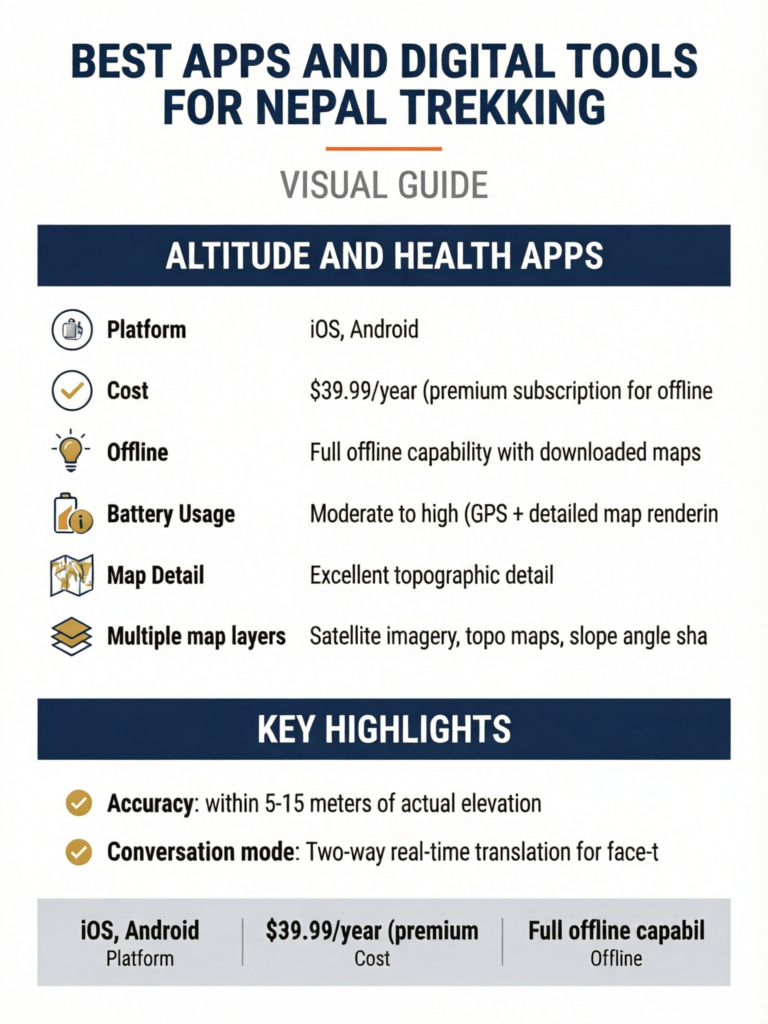
Platform: iOS, Android Cost: $39.99/year (premium subscription for offline topo maps) Offline: Full offline capability with downloaded maps Battery Usage: Moderate to high (GPS + detailed map rendering) Map Detail: Excellent topographic detail
Gaia GPS is the premium navigation choice for serious trekkers who want detailed topographic information.
Why Gaia GPS is worth the cost:
- Topographic contour maps: See elevation changes, ridge lines, valleys
- Multiple map layers: Satellite imagery, topo maps, slope angle shading
- Track recording: Record your actual route with elevation profile
- Waypoint system: Detailed waypoint creation with notes and photos
- Route planning: Plan routes on desktop, sync to phone
- Elevation profile: See the day's ascent/descent before you walk it
- Offline maps: Download tiles for offline use (larger file sizes than Maps.me)
How to set up:
- Subscribe to Gaia GPS Premium
- On desktop: plan your route and mark waypoints
- On phone: download map tiles for your entire trekking area (select a generous area around your route)
- Choose map layers: Gaia Topo is best for Nepal trekking
- Sync routes and waypoints between desktop and phone
- Test offline functionality before departing
Download size warning: Gaia's detailed topo maps require significantly more storage than Maps.me. Download for the Everest region at zoom levels suitable for trekking can be 500 MB to 1 GB or more. Ensure your phone has sufficient storage.
For a detailed comparison of offline maps, see our best offline maps guide.
AllTrails (Free basic / $35.99/year premium)
Platform: iOS, Android Cost: Free (basic) or $35.99/year (premium for offline maps) Offline: Premium subscription required for offline maps Battery Usage: Moderate Map Detail: Good, community-contributed trail data
AllTrails has a growing library of Nepal trekking routes with user reviews, photos, and difficulty ratings. The premium version allows offline map downloads.
Best for: Trekkers who already use AllTrails at home and want a familiar interface. Trail descriptions and reviews provide useful context about conditions and difficulty.
Limitations for Nepal: Trail coverage is not as comprehensive as Maps.me for smaller paths. Some trails lack recent reviews. Premium required for offline use.
Organic Maps (Free, Open Source)
Platform: iOS, Android Cost: Completely free, no ads, open source Offline: Full offline capability Battery Usage: Low to moderate Map Detail: Good (OpenStreetMap data, same as Maps.me)
Organic Maps is a privacy-focused, ad-free alternative to Maps.me that uses the same OpenStreetMap data. It has no tracking, no ads, and no data collection.
Best for: Privacy-conscious trekkers who want a clean, ad-free mapping experience.
Navigation App Comparison
| Feature | Maps.me | Gaia GPS | AllTrails | Organic Maps |
|---|---|---|---|---|
| Price | Free | $39.99/yr | Free/$35.99/yr | Free |
| Offline maps | Yes | Yes (premium) | Yes (premium) | Yes |
| Topo contours | No | Yes | Yes (premium) | No |
| Nepal trail detail | Excellent | Excellent | Good | Excellent |
| Battery usage | Moderate | Moderate-High | Moderate | Low-Moderate |
| Track recording | Basic | Advanced | Yes | Basic |
| Elevation profile | Basic | Detailed | Yes | Basic |
| File size (Nepal) | 50-80 MB | 500 MB-1 GB | Varies | 50-80 MB |
| Ads | Yes | No | Yes (free) | No |
Use Two Map Apps
Experienced trekkers install at least two navigation apps as backup. Maps.me (free, reliable, low battery) plus Gaia GPS (detailed topo) is an excellent combination. If one app has a glitch or missing trail data, the other serves as backup. The minor extra storage cost is worth the redundancy.
Weather Apps
Weather prediction in the Himalayas is inherently uncertain, but these apps provide useful forecasts for planning your trekking days.
Mountain-Forecast.com (Free Website, Bookmarkable)
Platform: Web (mobile-optimized, bookmark the page) Cost: Free Offline: No - requires internet Best for: Multi-day mountain weather forecasts with altitude-specific predictions
Mountain-Forecast provides weather forecasts for specific peaks at multiple altitude levels. For Nepal trekking, bookmark the relevant peak pages before your trek.
Key peaks to bookmark:
- Everest region: Ama Dablam, Pumori, or Everest itself (forecasts at 4,000m, 5,000m, 6,000m levels)
- Annapurna region: Annapurna III or Machapuchare
- Langtang region: Langtang Lirung
Practical use: Check forecasts when you have WiFi at tea houses. The multi-day forecast helps plan high pass crossings and summit attempts.
Windy (Free / $22.99/year premium)
Platform: iOS, Android, Web Cost: Free (basic) or $22.99/year (premium) Offline: Limited - requires internet for updates Battery Usage: Low (when checking intermittently) Best for: Visual weather maps, wind patterns, precipitation forecasts
Windy provides stunning visual weather maps showing wind, cloud, rain, snow, and temperature patterns. The animated forecast map is excellent for understanding weather systems approaching your trekking area.
Why Windy works for Nepal trekking:
- Visual representation is intuitive and easy to interpret
- Multiple weather models (ECMWF, GFS) for comparison
- Mountain-specific wind data
- Precipitation forecasts useful for planning
- Webcam integration (some Himalayan views available)
How to use on the trail: When you have tea house WiFi, open Windy and check the next 3-5 day forecast for your area. Look for precipitation, wind speed, and temperature at your altitude.
Yr.no (Free)
Platform: iOS, Android, Web Cost: Free, no ads Offline: Caches recent forecasts for limited offline use Battery Usage: Very low Best for: Simple, accurate weather forecasts from the Norwegian Meteorological Institute
Yr.no is one of the most respected weather services globally, and its Himalayan data is surprisingly good. The app is clean, ad-free, and provides straightforward forecasts.
How to set up:
- Install the yr.no app
- Search for and save locations along your route (Namche Bazaar, Tengboche, Dingboche, etc.)
- Check forecasts when WiFi is available
Weather Apps Comparison
| Feature | Mountain-Forecast | Windy | Yr.no |
|---|---|---|---|
| Price | Free | Free/$22.99/yr | Free |
| Offline capability | None | Limited | Limited cache |
| Altitude-specific | Yes (multiple levels) | Via map layers | Basic |
| Visual maps | No | Excellent | Basic |
| Himalaya accuracy | Good | Good | Good |
| Ease of use | Moderate | Easy | Very easy |
| Battery impact | N/A (web) | Low | Very low |
Screenshot Weather Forecasts
Altitude and Health Apps
Monitoring altitude and basic health metrics can help you manage acclimatization and recognize early signs of altitude sickness.
Altimeter Apps
My Altitude (Free / Premium)
- GPS-based altitude reading
- Altitude history and charts
- Works fully offline
- Accuracy: within 5-15 meters of actual elevation
Altimeter Rea (Free)
- Clean, simple altitude display
- Barometric pressure readings (on supported devices)
- Minimal battery usage
- Good for quick altitude checks
Pulse Oximeter Apps
Caution: Phone-based pulse oximeter apps (using the phone camera and flashlight) are not reliable enough for medical decisions. They can give readings that vary by 5-10% from actual SpO2 values.
Recommendation: Carry a dedicated fingertip pulse oximeter (weight: 50g, cost: $15-30) rather than relying on a phone app. Accurate SpO2 readings are important for monitoring acclimatization. At altitude, your SpO2 should ideally remain above 90% when resting. Readings consistently below 85% warrant concern.
If you insist on using a phone app for general trends (not medical decisions):
- Pulse Oximeter - Heart Rate Monitor (iOS/Android, free)
- Place finger firmly over camera with flashlight on
- Take multiple readings and average them
- Compare with a dedicated device if possible
Acclimatization Tracking
While no single app perfectly tracks acclimatization, you can use a combination of tools:
- Notes app: Record daily altitude, symptoms, and pulse oximeter readings
- Altimeter app: Track your altitude profile over the trek
- Sleep tracking: Basic sleep quality notes correlate with acclimatization (poor sleep is an early altitude symptom)
Apps Do Not Replace Medical Judgment
No app can diagnose altitude sickness. If you experience persistent headache, nausea, dizziness, or difficulty breathing at altitude, descend immediately regardless of what any app says. See the Himalayan Rescue Association guidelines and discuss symptoms with your trekking guide. Our first aid guide covers altitude sickness recognition in detail.
Communication Apps
Staying in touch with family, coordinating with your agency, and communicating in emergencies requires the right communication tools.
Viber (Free) - Most Important for Nepal
Platform: iOS, Android Cost: Free Why Essential: Viber is the dominant communication app in Nepal. More Nepalis use Viber than WhatsApp. Your trekking guide, agency, hotel staff, and Nepali contacts will almost certainly use Viber.
Key features:
- Free calls and messages to other Viber users
- Group chats for coordinating with agencies and group members
- Low bandwidth requirement (works on slow tea house WiFi)
- File sharing for sending photos and documents
- Viber Out allows cheap calls to non-Viber numbers
Setup: Install Viber before your trip and verify your phone number. Add your agency contact, guide, hotel, and emergency contacts.
WhatsApp (Free)
Platform: iOS, Android Cost: Free Best for: Communication with non-Nepali contacts, family back home, international trekking groups
WhatsApp is the global standard for messaging, and most international trekkers use it. While not as popular as Viber in Nepal, many agencies and guides also have WhatsApp.
On the trail: WhatsApp works on tea house WiFi for text messages. Photo and video sending may be very slow or fail due to bandwidth limitations. Use text or voice messages for reliability.
Nepal Telecom / Ncell Apps
Nepal Telecom (NTC) and Ncell are Nepal's two main mobile carriers. Their apps help manage your SIM balance and data.
- Nepal Telecom app: Check balance, buy data packs, view coverage maps
- Ncell app: Similar functionality for Ncell subscribers
Both apps are useful for monitoring your prepaid balance and purchasing additional data when you find cell coverage. See our Nepal SIM card guide for detailed carrier comparison.
Emergency Communication
For areas without cell coverage, consider:
- Garmin inReach Mini 2 ($349.99 + subscription): Satellite messenger for SOS and text messaging anywhere. Works globally, no cell coverage needed. The most reliable emergency communication device for remote trekking. Not an app per se, but pairs with the Garmin Messenger app.
- Garmin Messenger app (Free, requires inReach device): Send and receive satellite messages through your phone's interface.
The Daily Check-In System
Translation Apps
Google Translate (Free) - Essential
Platform: iOS, Android Cost: Free Offline: Yes, with downloaded language packs Best for: Translating signs, menus, basic conversation
Google Translate is essential for Nepal trekking. The offline Nepali language pack allows translation without internet.
Setup steps:
- Install Google Translate
- Download the Nepali language pack (Settings > Offline Translation > Nepali)
- Also download Hindi (useful for some areas and Indian tourists you might meet)
- Test the camera translation feature (point camera at Nepali text)
- Test voice translation feature
Most useful features:
- Camera translation: Point your phone camera at Nepali signs, menus, or documents. The app translates text in real-time.
- Voice translation: Speak in English and hear the Nepali translation. Useful for basic communication.
- Saved phrases: Pre-save common phrases like greetings, "how much does this cost?", "where is the toilet?", etc.
- Conversation mode: Two-way real-time translation for face-to-face conversation
Practical note: Most people you interact with on the trail (guides, tea house owners, other trekkers) speak at least basic English. Google Translate is a helpful supplement, not a necessity. For essential Nepali phrases, see our Nepali phrases guide.
Camera Translation Works on Menus
Point Google Translate's camera at a Nepali menu in a local restaurant or tea house, and it overlays English translations in real-time. This feature works offline with the downloaded language pack and is remarkably useful for ordering food at less touristy tea houses where English menus are not available.
Expense and Finance Apps
Trail Wallet ($4.99)
Platform: iOS Cost: $4.99 (one-time purchase) Offline: Full offline capability Best for: Solo trekkers tracking daily spending
Trail Wallet lets you set a budget, log expenses in local currency, and track spending by category. Useful for monitoring your trek budget against actual costs.
Splitwise (Free)
Platform: iOS, Android Cost: Free (basic) Offline: Partial (logs offline, syncs when connected) Best for: Groups splitting costs
If trekking in a group and sharing expenses (meals, accommodation, tips), Splitwise simplifies splitting costs and tracking who owes whom. Add expenses offline; it syncs and calculates balances when you reconnect.
XE Currency (Free)
Platform: iOS, Android Cost: Free Offline: Last updated rate cached offline Best for: Quick NPR to USD/EUR/GBP conversion
XE Currency converts between Nepali Rupees and your home currency. Cache the current rate before leaving Kathmandu. The offline cached rate is accurate enough for trekking purposes (exchange rates do not fluctuate dramatically during a two-week trek).
Photography Apps
PhotoPills ($10.99)
Platform: iOS, Android Cost: $10.99 (one-time purchase) Offline: Full offline capability Best for: Planning sunrise/sunset shots, golden hour timing, night sky photography
PhotoPills is the ultimate planning tool for landscape photographers. In the Himalayas, where light on mountains creates extraordinary photographic opportunities, knowing exact sunrise/sunset times and directions is invaluable.
Key features for trekking:
- Sunrise/sunset times: Exact times for any date and location
- Golden hour/blue hour: Know exactly when the best light begins and ends
- Sun/moon position: Plan compositions with sun or moon in specific positions
- Night sky planner: Plan Milky Way shots over Himalayan peaks
- Augmented reality: Point phone at landscape to see where sun/moon will be
Snapseed (Free)
Platform: iOS, Android Cost: Free Offline: Full offline capability Best for: Quick photo editing on the trail
Snapseed by Google is a powerful, free photo editor that works entirely offline. Perfect for quick edits to share via WhatsApp when you get WiFi.
Star Walk 2 (Free / $2.99)
Platform: iOS, Android Cost: Free (basic) or $2.99 (full) Offline: Yes Best for: Night sky identification at high altitude
At 4,000-5,000 meters with minimal light pollution, the night sky in Nepal is spectacular. Star Walk 2 identifies constellations, planets, and the Milky Way by pointing your phone at the sky.
Utility Apps
Offline Document Storage
Google Drive / iCloud: Download important documents for offline access before departing:
- Travel insurance policy (PDF)
- Passport scan
- Visa copy
- Trekking permit copies
- Hotel booking confirmations
- Emergency contact numbers
- Flight itineraries
Music and Entertainment
Long tea house evenings need entertainment. Download before leaving Kathmandu:
- Spotify: Download playlists for offline listening
- Audible/Podcast apps: Download audiobooks and podcasts
- Kindle: Download several books (the Kindle app has excellent offline capability and minimal battery usage)
- Netflix: Some titles available for offline download (check rights for Nepal)
First Aid Reference
- First Aid by Red Cross (Free): Offline first aid instructions including altitude sickness
- Wilderness Medicine Handbook (various apps, $5-15): Detailed wilderness medical reference
Battery Management for Apps
GPS and mapping apps are significant battery drains. Managing phone battery is critical when charging is expensive (NPR 200-500 per charge) or unavailable.
Battery Usage by App Type
| App Type | Battery Usage | Tips |
|---|---|---|
| GPS/Navigation (active) | Very High | Use only when needed, not continuously |
| Camera | High | Airplane mode while shooting saves battery |
| Communication (checking) | Moderate | Quick check-ins only, close apps after |
| Music (offline) | Low-Moderate | Lower volume and use wired earbuds |
| E-reader (Kindle) | Very Low | Minimal battery impact |
| Weather (checking) | Low | Quick check, then close |
| Altimeter | Low-Moderate | Check intermittently, not continuously |
Battery Conservation Strategies
- Airplane mode: Keep your phone in airplane mode whenever you are not actively using cell data or WiFi. This single action extends battery life by 2-3x.
- Screen brightness: Reduce to 30-40%. In bright mountain light, you can still read the screen at lower brightness.
- GPS management: Turn off location services except when actively navigating. Do not leave Maps.me running with GPS active all day.
- Background app refresh: Disable for all apps except essential ones.
- Power bank: Carry a 20,000 mAh power bank (provides 3-5 full phone charges). See our power bank guide.
- Cold battery protection: In cold weather, keep your phone in an inside pocket close to your body. Cold temperatures dramatically reduce battery performance.
The Airplane Mode Navigation Trick
App Setup: Complete Trekking Phone Configuration
Here is the complete setup process, optimized for a phone being prepared for a Nepal trek:
Night Before Trek Departure
- Update all apps to latest versions (some require internet for updates)
- Download all offline maps (Maps.me Nepal map, Gaia GPS tiles)
- Download Google Translate Nepali language pack
- Download music/podcasts/books for entertainment
- Save all documents offline (insurance, permits, passport scans)
- Configure weather bookmarks (Mountain-Forecast, Windy, yr.no)
- Test everything in airplane mode - verify all essential apps work offline
- Charge phone to 100% and charge power bank to 100%
- Clear phone storage if needed (delete unused apps, old photos)
- Enable phone backup - back up to cloud before departing
Storage Requirements
Budget approximately this storage for trekking apps and data:
| Category | Storage Needed |
|---|---|
| Maps.me (Nepal) | 50-80 MB |
| Gaia GPS (trekking area tiles) | 500 MB - 1 GB |
| Google Translate (Nepali offline) | 50 MB |
| Music/podcasts | 1-5 GB (your choice) |
| Books/audiobooks | 500 MB - 2 GB |
| Documents and PDFs | 50 MB |
| Photo/video space | 5-20 GB (depending on your camera use) |
| Total recommended free space | 10-30 GB |
Phone Protection Is Essential
Your phone is now a critical navigation, communication, and documentation tool. Protect it:
- Use a robust waterproof case (LifeProof, Catalyst, or at minimum a zip-lock bag)
- Attach a lanyard/tether when using at altitude (dropped phones disappear into valleys)
- Keep in an inside pocket in cold weather (cold kills batteries)
- Carry it on your person, not in the duffel bag carried by porters
- Insure it as part of your travel insurance
Frequently Asked Questions
What is the single most important app for Nepal trekking?
Maps.me for offline navigation. It is free, works completely offline, has excellent Nepal trekking trail coverage, and could literally help save your life if you get lost. Install it, download the Nepal map, and bookmark your route before departing Kathmandu.
Do I need cell service for GPS navigation apps to work?
No. GPS navigation (Maps.me, Gaia GPS) uses satellite positioning, not cell towers. Your phone receives GPS signals directly from satellites. As long as your offline maps are downloaded, navigation works with no cell service and no WiFi. You can even be in airplane mode with only GPS enabled.
Which carrier should I get a SIM card from for trail coverage?
Nepal Telecom (NTC) generally has slightly better coverage on trekking trails than Ncell, particularly in the Everest region. However, neither carrier provides reliable coverage above 3,500-4,000 meters in most areas. See our detailed SIM card guide for carrier comparison by region.
How do I charge my phone on the trail?
Tea houses offer charging for NPR 200-500 per charge (prices increase with altitude). Some have solar panels. The most reliable method is carrying a 20,000 mAh power bank, which provides 3-5 full charges. Charge your power bank at tea houses when possible. See our power bank guide for recommendations.
Is there WiFi on the Everest Base Camp trail?
Yes, most tea houses along the EBC trail offer WiFi for NPR 200-500 per day. Speed is very slow (0.1-1 Mbps typically) and is best for text messages and very basic browsing. Video calls and large uploads are usually not possible. WiFi is available through Namche Bazaar, Tengboche, Dingboche, and even Gorak Shep, though reliability decreases with altitude.
Can I use my phone camera instead of a dedicated camera?
Modern smartphones (iPhone 15/16, Samsung Galaxy S24/S25, Google Pixel 8/9) take excellent photos that satisfy most trekkers. The main limitations are zoom capability, battery drain, and cold weather performance. If photography is a serious priority, a dedicated camera is better. If you want good photos with minimal extra weight, a modern smartphone is sufficient. See our photography guide.
Are there apps that work specifically for altitude sickness monitoring?
No app can reliably diagnose altitude sickness. Apps that track altitude and SpO2 (via phone camera) provide general trends but are not medically accurate enough for clinical decisions. A dedicated fingertip pulse oximeter ($15-30, 50g) is far more reliable than any phone app for measuring blood oxygen levels. Use altitude tracking apps for general awareness, not medical diagnosis.
Should I bring a paper map as backup?
Yes, a paper map is an excellent backup. Electronics can fail (battery dies, screen cracks, water damage). A waterproof paper map of your trekking region weighs almost nothing and works in all conditions. Available at bookshops in Thamel for NPR 300-800. The Himalayan Map House and Nepal Map Publisher produce the best trekking maps.
Can I use Strava on Nepal treks?
Yes, Strava works for recording your trek with GPS tracking. It records offline and syncs when you reconnect. The "Trek" or "Hike" activity type is appropriate. However, be aware that Strava is a significant battery drain when recording continuously. Consider recording only key days rather than the entire trek.
How do I protect my phone from cold weather?
Cold temperatures reduce battery capacity significantly. At -10 to -20 degrees Celsius (common at 5,000m+ at night), a fully charged phone can drop to 20% in minutes. Keep your phone in an inside chest pocket, close to your body. Use a thin insulating case. In extremely cold conditions, use a hand warmer packet next to the phone inside your pocket.
What entertainment apps should I download for tea house evenings?
After a day of trekking, evenings at tea houses involve early dinner and relaxing before sleep. Download: Kindle books or audiobooks (several titles), a music playlist (2-4 hours), podcasts about Nepal or mountaineering history, and one or two offline games. Total: 2-5 GB depending on choices. This provides two weeks of evening entertainment without relying on WiFi.
Is Google Maps useful for Nepal trekking?
Google Maps has limited trail detail in Nepal compared to Maps.me. It is useful for navigation in Kathmandu, Pokhara, and road routes, but trekking trails are often missing or poorly mapped. Use Google Maps for city navigation and Maps.me or Gaia GPS for trail navigation.
Summary: The Essential App Kit
If you install nothing else, install these five apps:
- Maps.me - Free offline navigation (download Nepal map)
- Google Translate - Offline translation (download Nepali)
- Viber - Communication with Nepali contacts
- WhatsApp - Communication with family and international contacts
- Yr.no or Windy - Weather forecasts when WiFi is available
Total cost: Free Total storage: Approximately 200 MB Offline capability: All work offline (weather apps cache recent data)
For enhanced capability, add:
- Gaia GPS ($39.99/year) for detailed topographic navigation
- PhotoPills ($10.99) for photography planning
- Splitwise (free) for group expense splitting
Download everything in Kathmandu. Test in airplane mode. Protect your phone. Carry a power bank. Your smartphone is now one of the most useful tools in your trekking kit.
For more on staying connected, see our Nepal SIM card guide and power bank recommendations.